101
MAC OS
1. From your Safari browser,
click Safari > Preferences
> Advanced > Change
Settings...
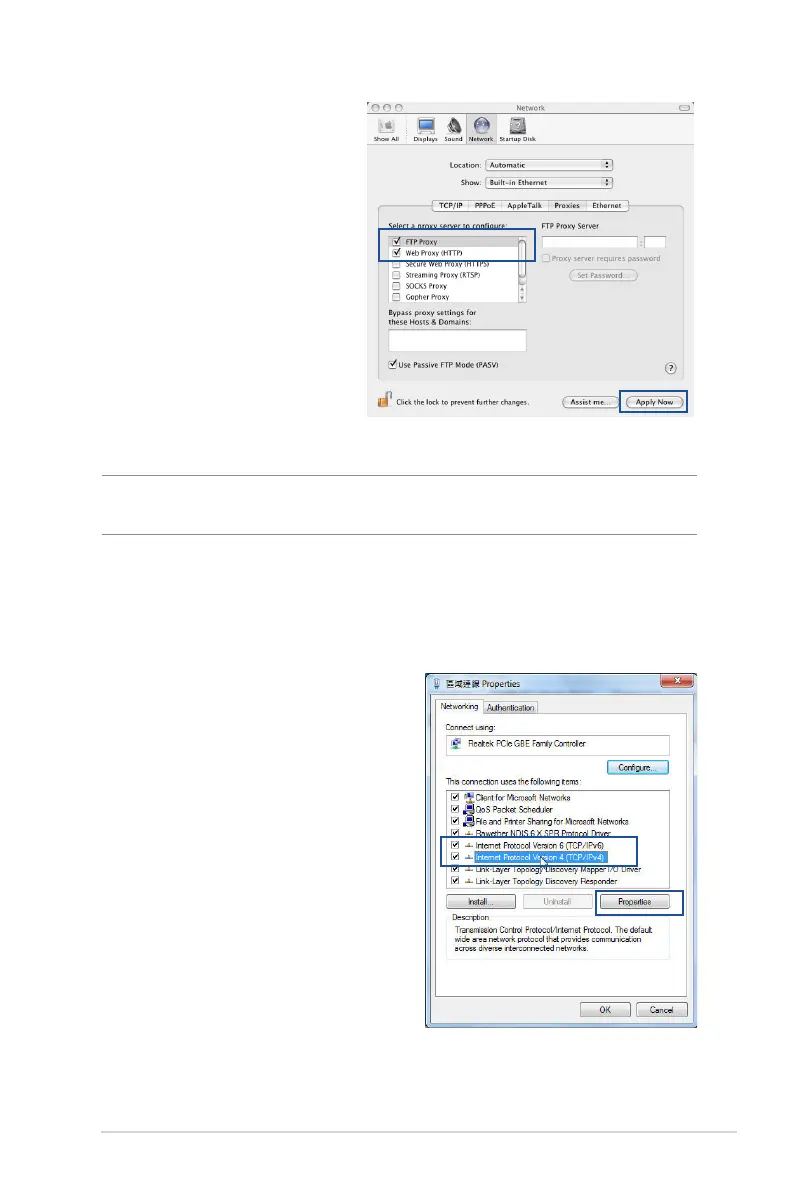
2. From the Network screen,
deselect FTP Proxy and
Web Proxy (HTTP).
3. Cllick Apply Now when
done.
NOTE: Refer to your browser's help feature for details on disabling the
proxy server.
B. Set the TCP/IP settings to automatically obtain an IP
address.
Windows® 7/8
1. Click Start > Control Panel
> Network and Internet
> Network and Sharing
Center > Manage network
connections.
2. Select Internet Protocol
Version 4 (TCP/IPv4) or
Internet Protocol Version
6 (TCP/IPv6), then click
Properties.


 To Next Page