2
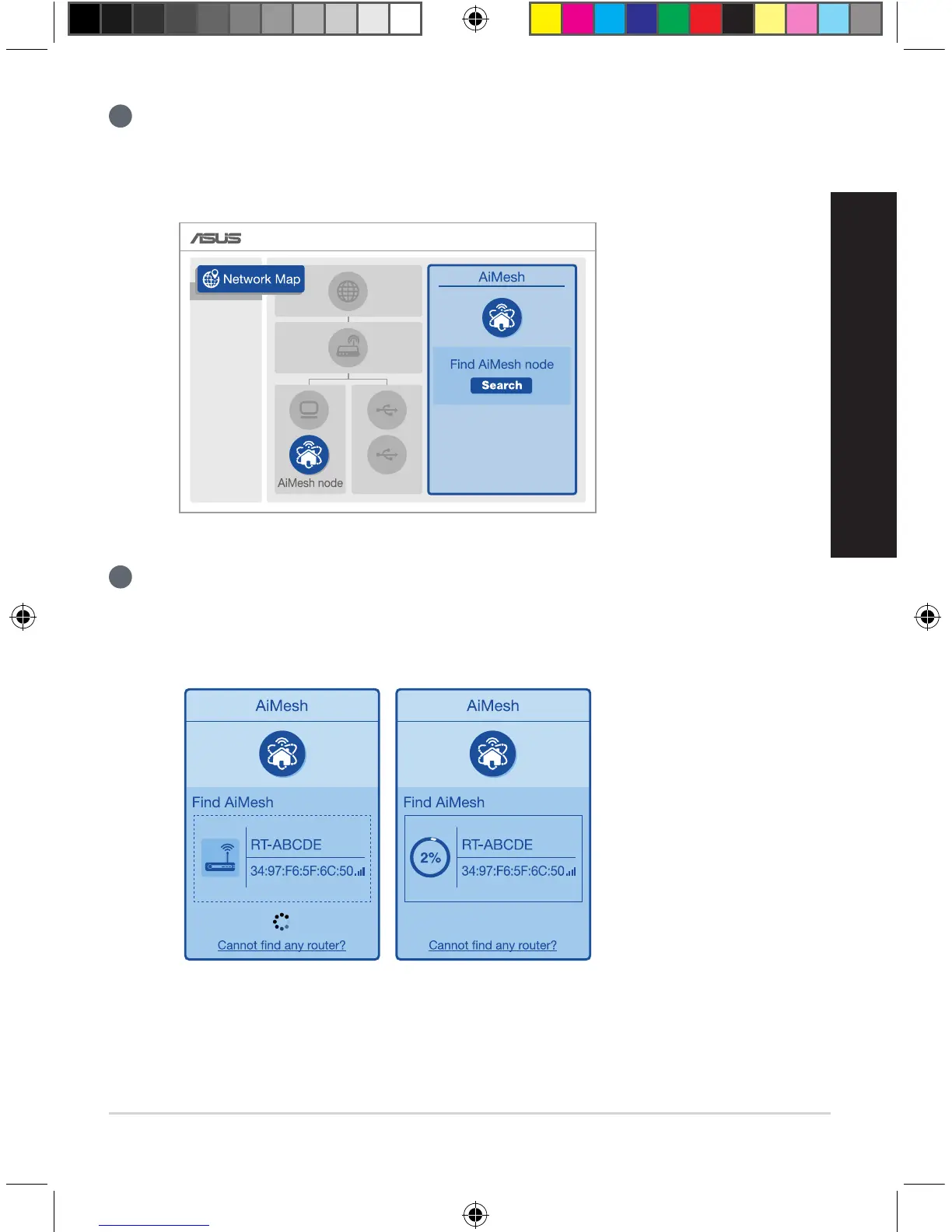
Go to Network Map page, click AiMesh icon and then Search for your extending AiMesh
node.
** If you cannot find the AiMesh icon here, click on firmware version and update the
firmware.
3
Click Search, it will automatically search for your AiMesh node. When the AiMesh node
shows on this page, click it to add it into the AiMesh system.
** If you cannot find any AiMesh node, please go to TROUBLE SHOOTING.
U13939-2_RT-AC1900U_AiMesh_QSG.indb 9 2018/3/29 14:24:20



 To Next Page