8
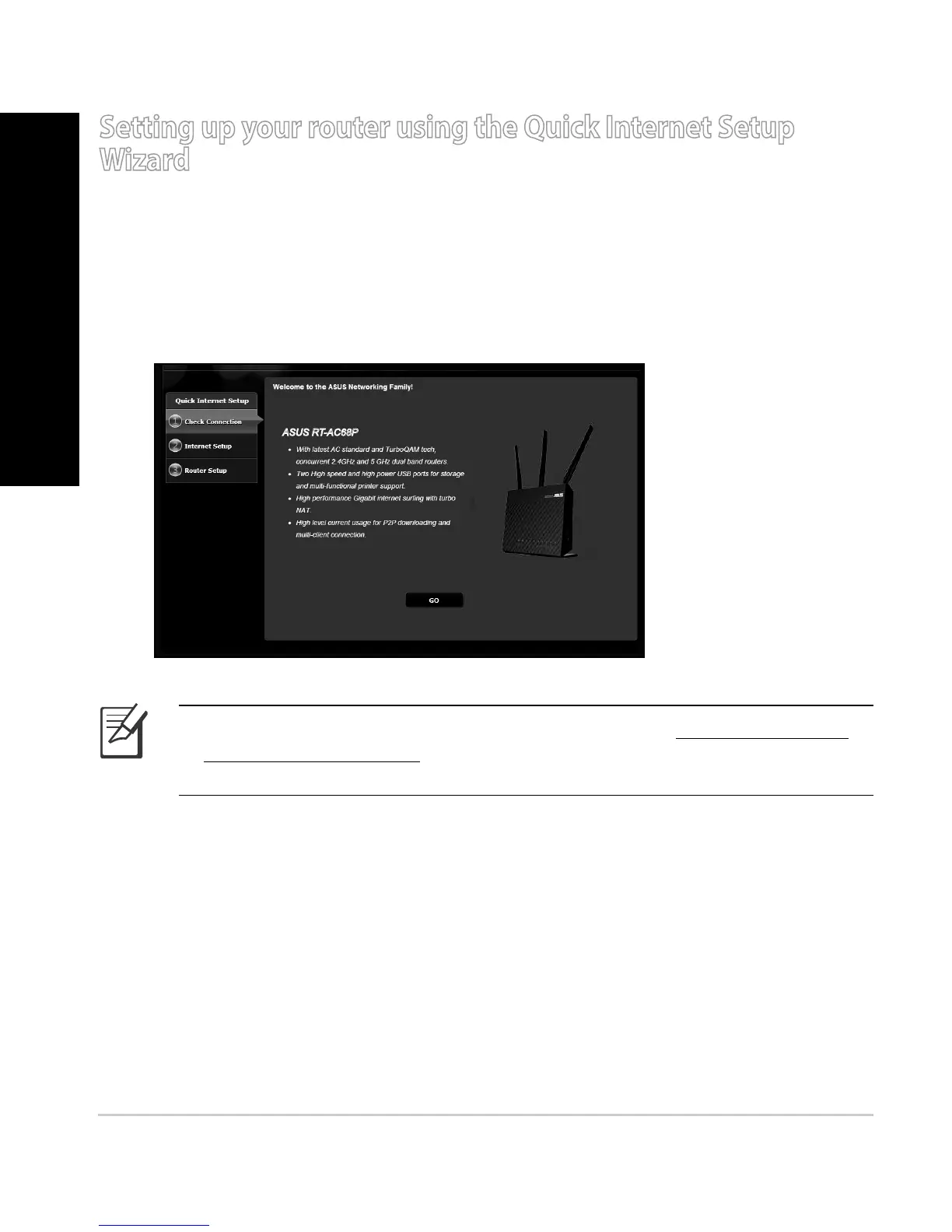
To set up your router using QIS ((Quick Internet Setup):
1. Press the power button at the back of your router. Ensure that the Power,
LAN and WAN LEDs are on.
2. -BVODIZPVSXFCCSPXTFSTVDIBT*OUFSOFU&YQMPSFS'JSFGPY(PPHMF$ISPNF
or Safari.
Setting up your router using the Quick Internet Setup
Wizard
NOTE: If QIS does not launch automatically, enter http://192.168.1.1
or http://router.asus.com in the address bar and refresh the browser
again.
3. Assign your router login name and password and click Next. You will need
UIJTMPHJOOBNFBOEQBTTXPSEUPMPHJOUP35"$1UPWJFXPSDIBOHFUIF
router settings. You can take note of your router login name and password
for future use.
ASUS RT-AC68P
English


 To Next Page