23
3.1.2 Managing your network clients
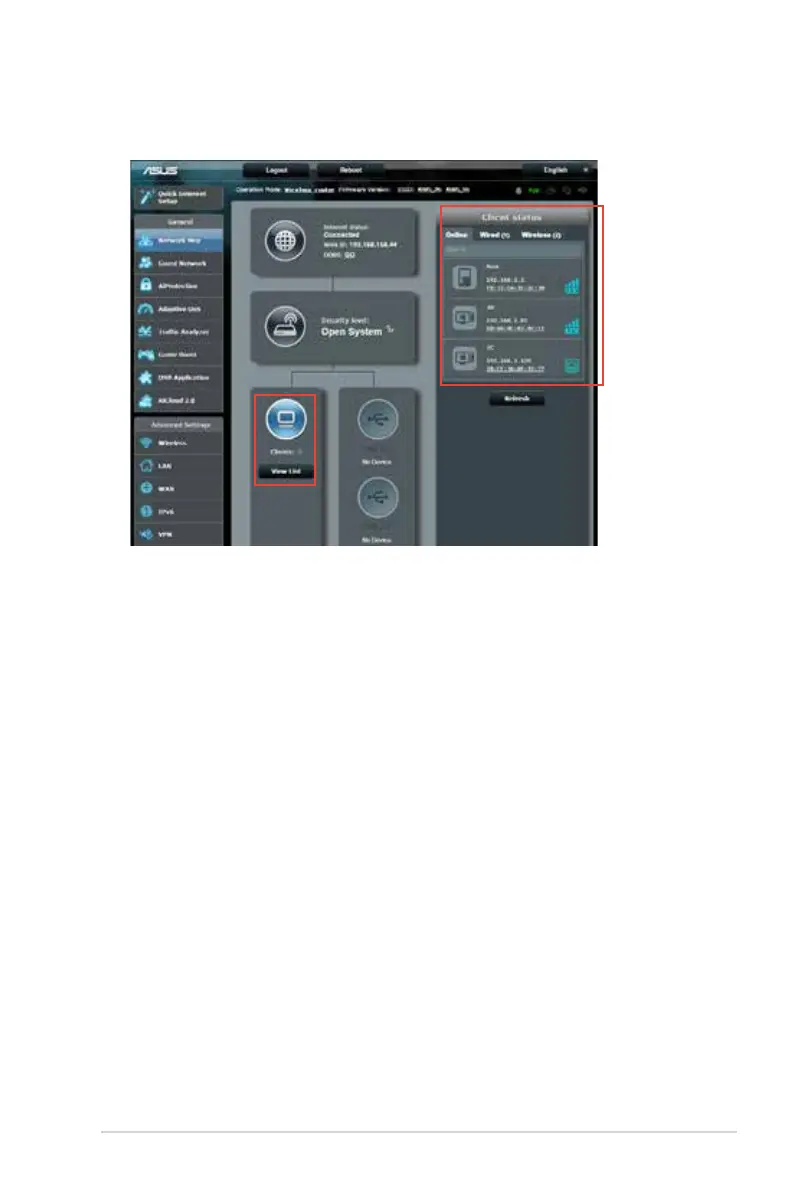
To manage your network clients:
1. From the navigation panel, go to General > Network Map
tab.
2. On the Network Map screen, select the Clients icon to
display your network client’s information.
3. To block a client’s access to your network, select the client and
click the open lock icon.



 To Next Page