30
3.3.1 Network Protection
Network Protection prevents network exploits and secures your
network from unwanted access.
Configuring Network Protection
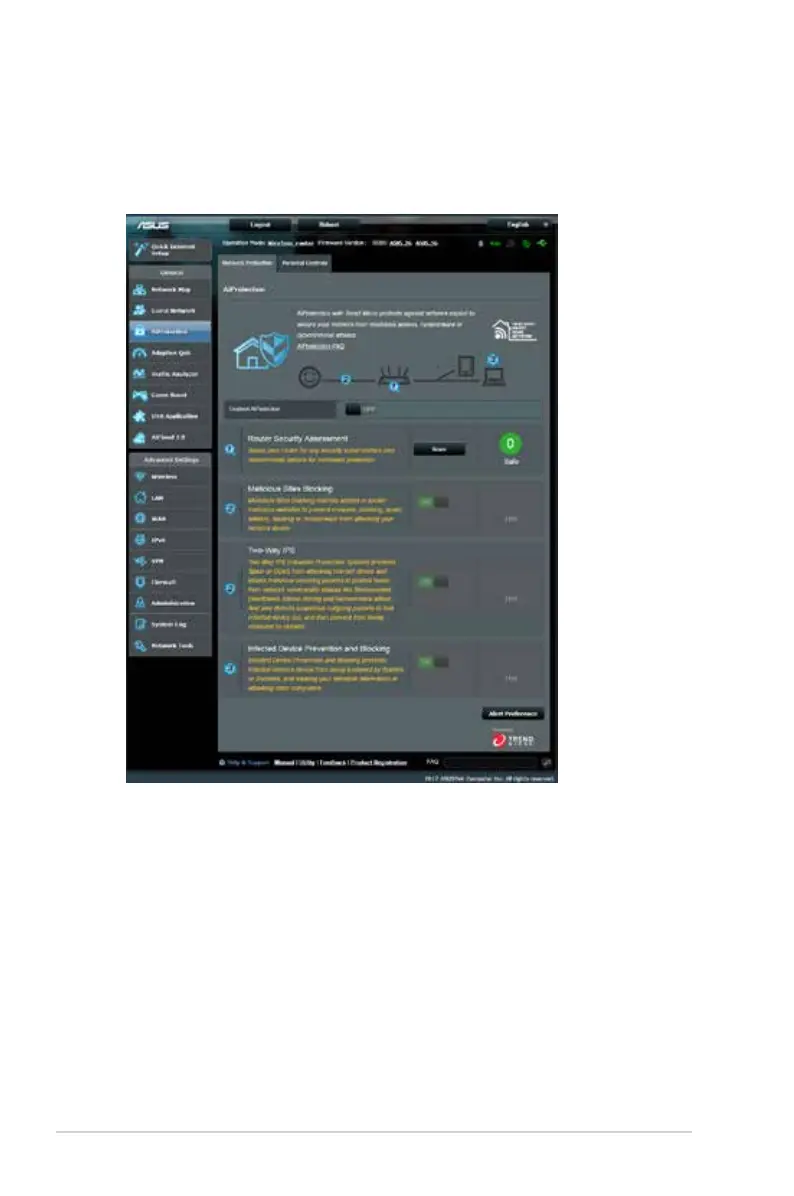
To configure Network Protection:
1. From the navigation panel, go to General > AiProtection.
2. From the AiProtection main page, click on Network
Protection.
3. From the Network Protection tab, click Scan.
When done scanning, the utility displays the results on the
Router Security Assessment page.



 To Next Page