54
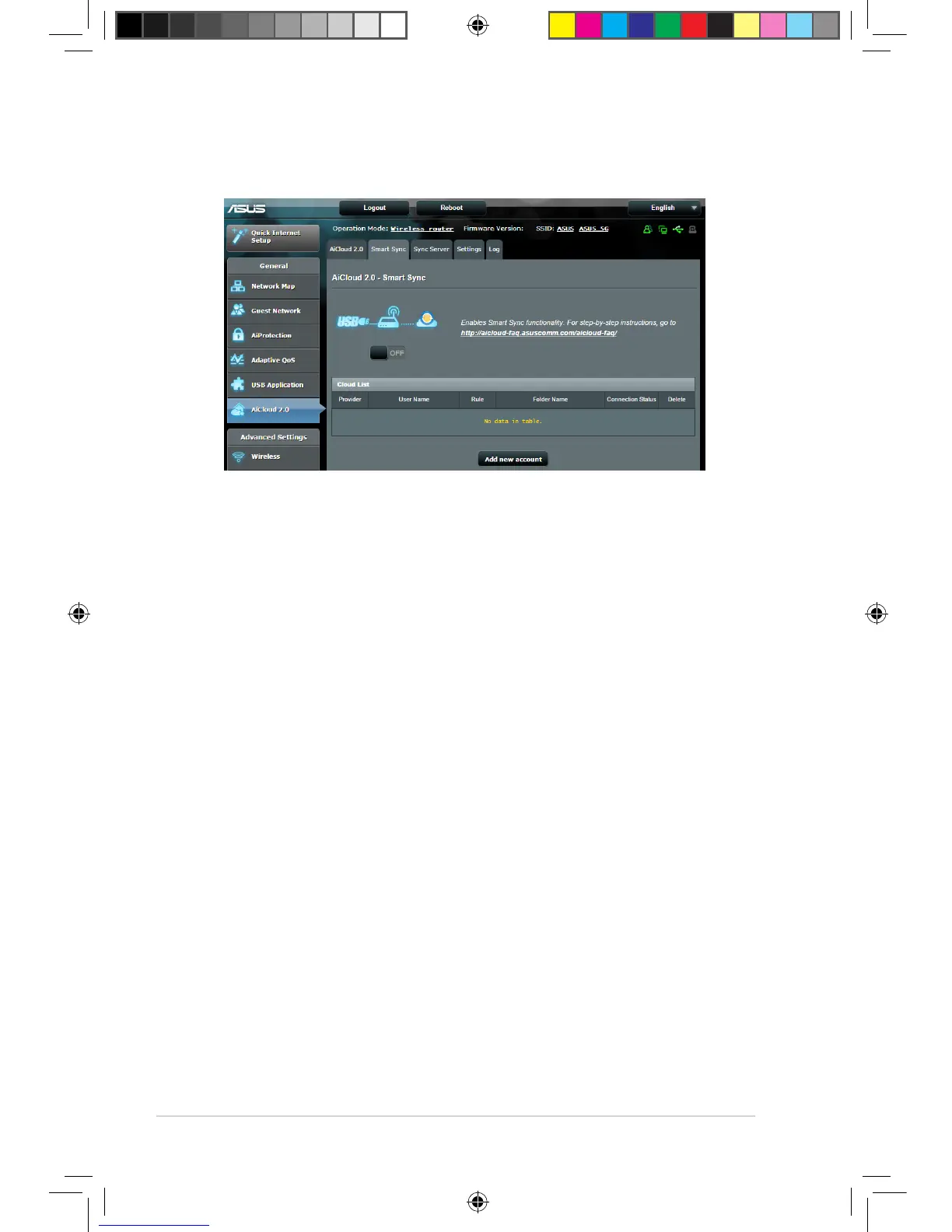
3.6.3 Smart Sync
To use Smart Sync:
1. Launch AiCloud, click Smart Sync > Go.
2. Select ON to enable Smart Sync.
3. Click Add new account.
4. Enter your ASUS WebStorage account password and select
the directory that you want to sync with WebStorage.
5. Click Apply.
E10302_RT-AC88U_manual.indd 54 2015/5/11 15:40:56



 To Next Page