85
To set up a URL filter:
1. From the navigation panel, go to Advanced Settings >
Firewall > URL Filter tab.
2. On the Enable URL Filter field, select Enabled.
3. Enter a URL and click the button.
4. Click Apply.
4.6.3 Keyword filter
Keyword filter blocks access to webpages containing specified
keywords.
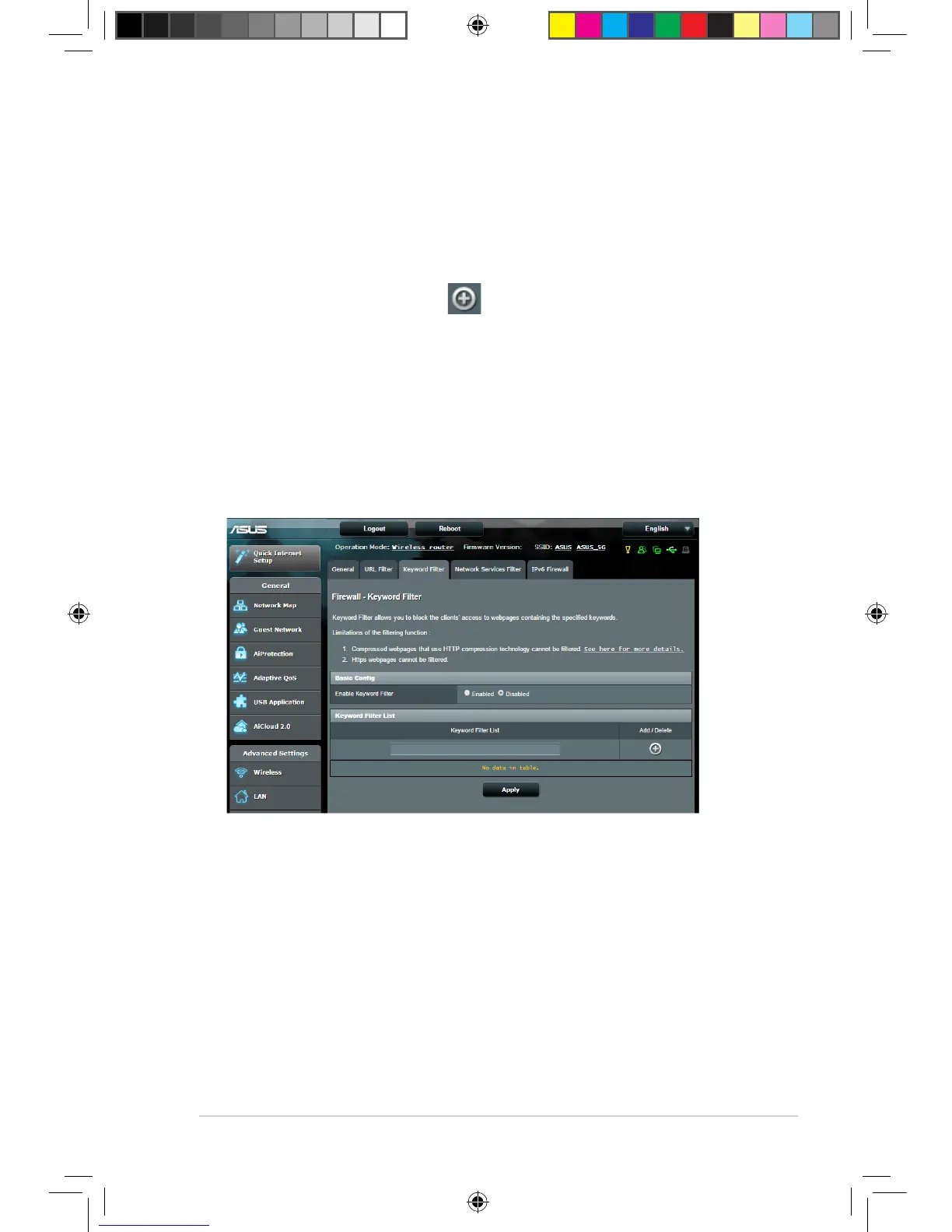
To set up a keyword filter:
1. From the navigation panel, go to Advanced Settings >
Firewall > Keyword Filter tab.
2. On the Enable Keyword Filter field, select Enabled.
E10302_RT-AC88U_manual.indd 85 2015/5/11 15:40:59



 To Next Page