96
NOTE: The print server function is supported on Windows® XP,
Windows® Vista, and Windows® 7.
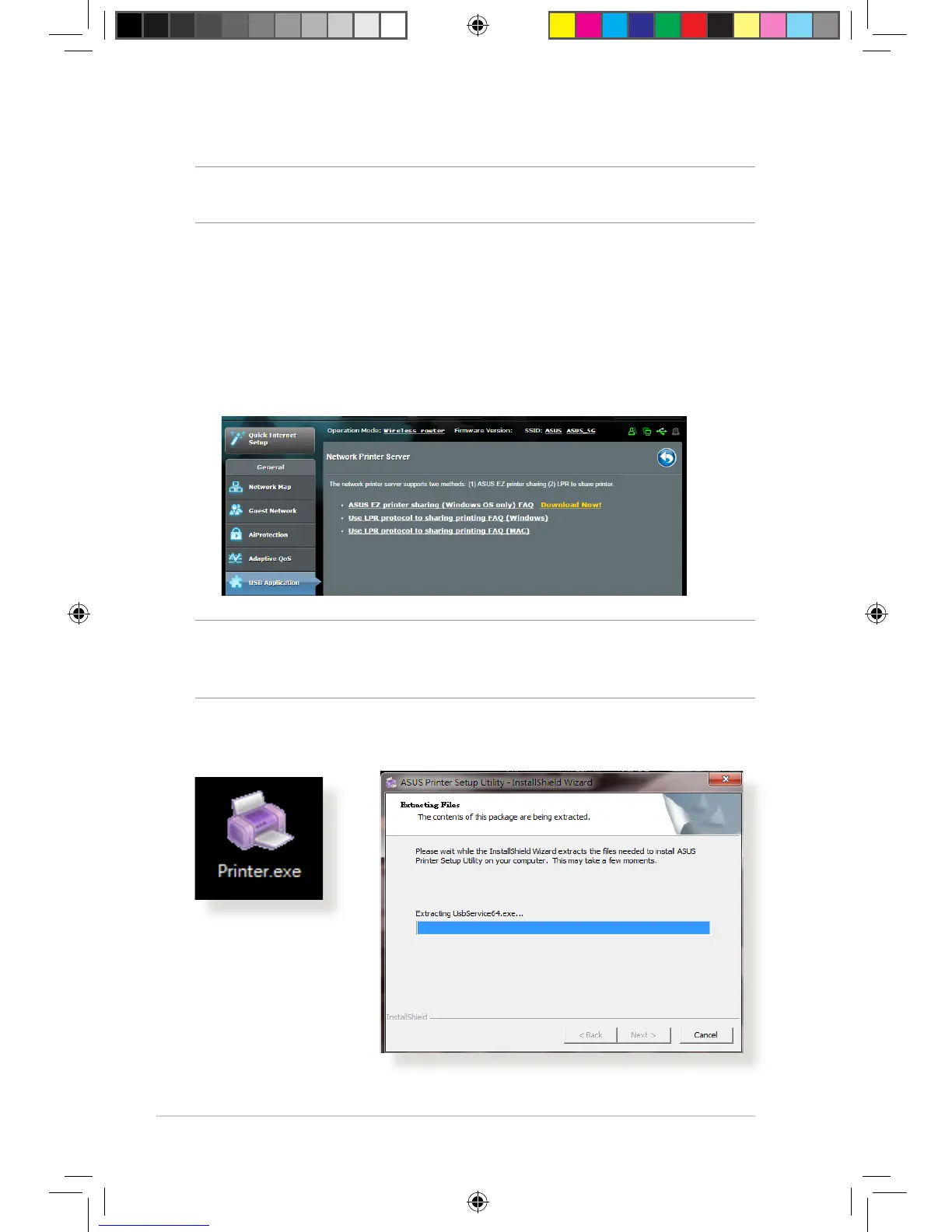
To set up the EZ Printer sharing mode:
1. From the navigation panel, go to General > USB Application
> Network Printer Server.
2. Click Download Now! to download the network printer
utility.
NOTE: Network printer utility is supported on Windows® XP, Windows®
Vista, and Windows® 7 only. To install the utility on Mac OS, select Use
LPR protocol for sharing printer.
3. Unzip the downloaded file and click the Printer icon to run the
network printer setup program.
E10302_RT-AC88U_manual.indd 96 2015/5/11 15:41:00



 To Next Page