26
RT-G32 Chapter 5: Installing the utilities
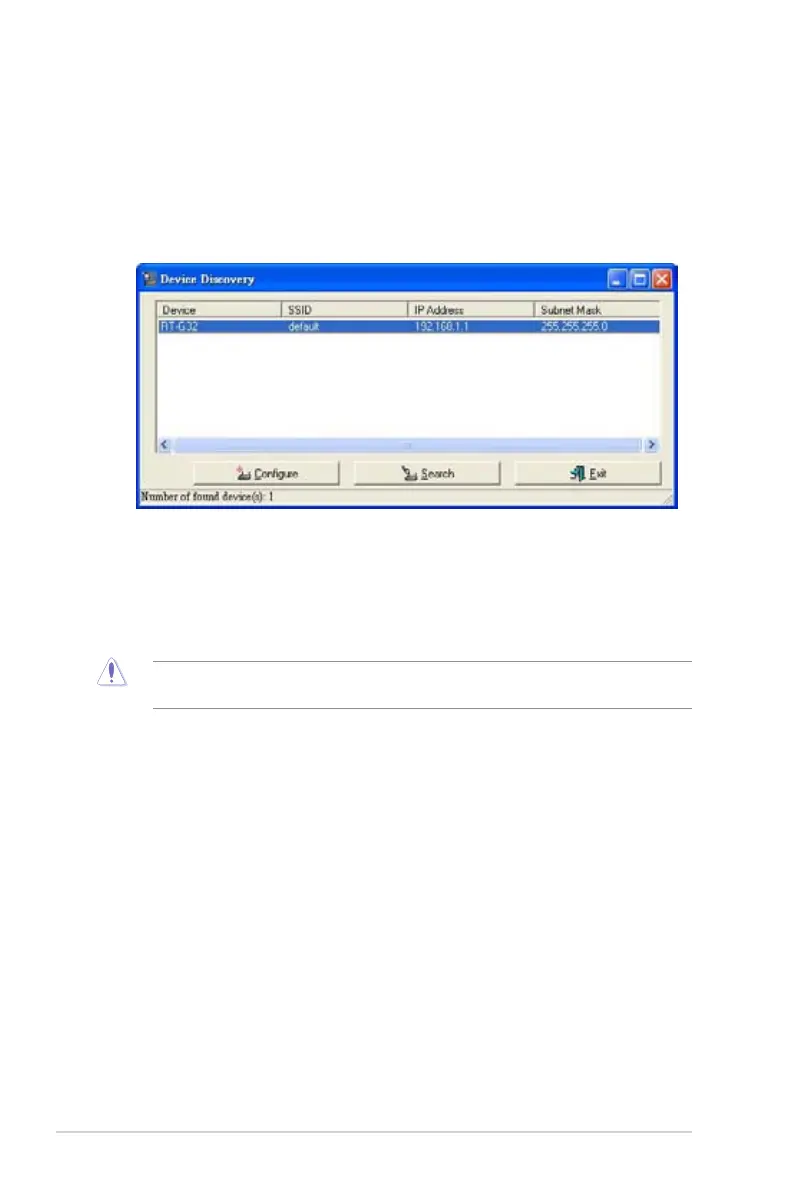
Device Discovery
Device Discovery is an ASUS WLAN utility which detects an ASUS Wireless
Router device, and enables you to congure the device.
To launch the Device Discovery utility:
• From your computer’s desktop, click Start > All Programs > ASUS Utility
> RT-G32 Wireless Router > Device Discovery.
Firmware Restoration
Firmware Restoration is a utility that searches for an ASUS Wireless Router that
failed during its rmware upgrading process, then restores or re-uploads the
rmware that you specify. The process takes about three to four minutes.
DO NOT use this utility unless you encounter abnormal situations such as a corrupt rmware,
upgrading failure, or system crash.
1. Download the latest rmware version and utility from our website at
(http://support.asus.com/download/download.aspx?SLanguage=en-us).
2. Decompress the utility le, then run Setup.exe. Click Next to nish the
installation.


 To Next Page