8
RT-G32 Chapter 1: Knowing your wireless router
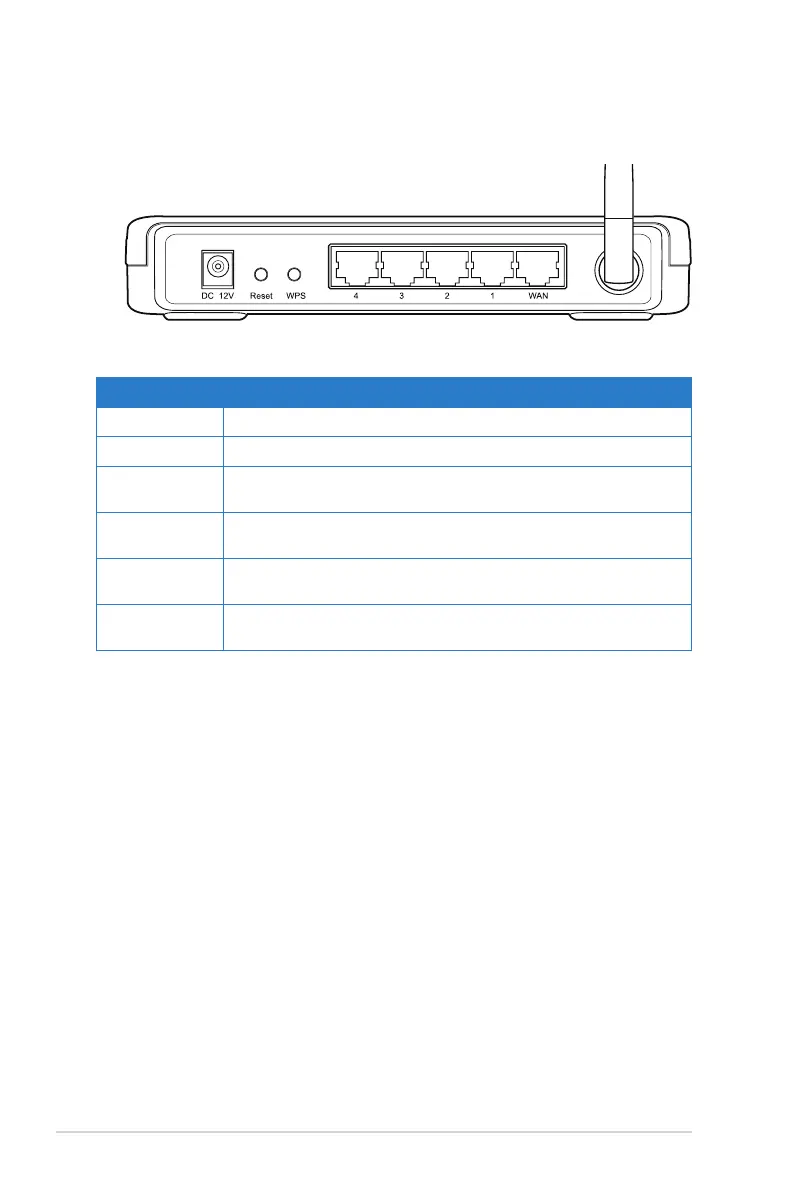
Rear panel
Label Description
ANTENNA Adjust the antenna manually to get a better signal reception
WPS Press this button to launch the Wi-Fi Protected Setup (WPS).
Reset Press for three seconds to restore to the factory default
settings.
WAN Connect an RJ-45 Ethernet cable to this port to establish
WAN connection.
LAN1-LAN4 Connect RJ-45 Ethernet cables to these ports to establish
LAN connection.
DC 12V Insert the DC adapter into this port to connect your router to
a power source.


 To Next Page