38
RT-N13U Chapter 5: Installing the utilities
Device Discovery
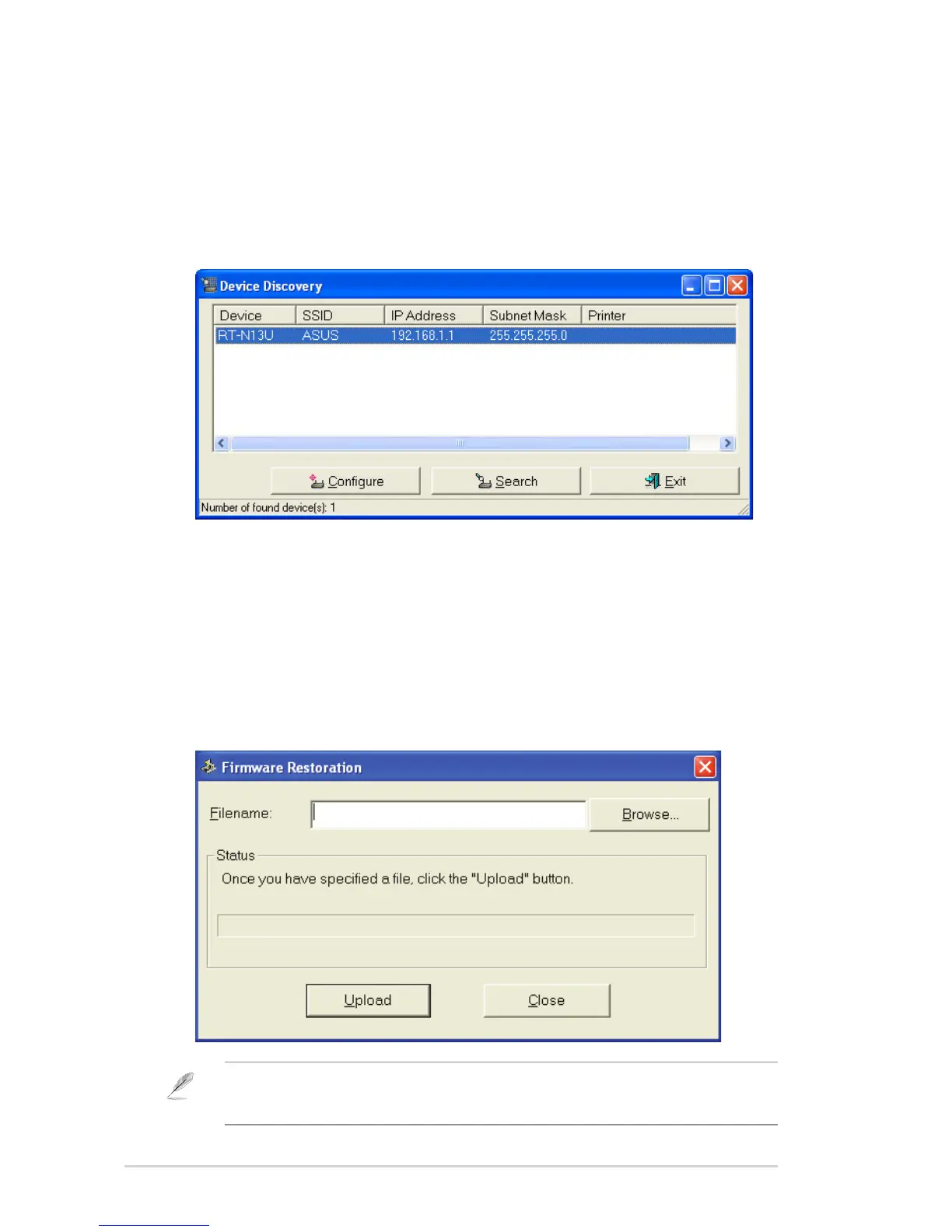
Device Discovery is an ASUS WLAN utility that detects an ASUS wireless router
device, and enables you to congure the device.
To launch the Device Discovery utility:
• From your computer’s desktop, click Start > All Programs > ASUS Utility
> RT-N13U Wireless Router > Device Discovery.
Firmware Restoration
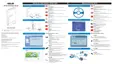
Firmware Restoration is a utility that searches for an ASUS Wireless Router that
failed during its rmware upgrading process, then restores or re-uploads the
rmware that you specify. The process takes about three to four minutes.
To launch the Firmware Restoration utility:
• From your computer’s desktop, click Start > All Programs > ASUS Utility
RT-N13U Wireless Router > Firmware Restoration.
Note: This is not a rmware upgrade utility and cannot be used on a working ASUS Wireless
Router. Normal rmware upgrades must be done through the web interface. Refer to Chapter 4:
Conguring via the web GUI for more details.


 To Next Page