41
Setting up your network printer
Use the Network Printer Setup utility to set up a USB printer on
your wireless router and allow network clients to access the USB
printer.
NOTES:
• To check if your USB printer is compatible with your ASUS
wireless router, refer to the Plug-n-Share Disk Support List at
http://event.asus.com/networks/printersupport
• The wireless router's printer server function is not supported
on Windows
®
2000.
To set up your USB Printer:
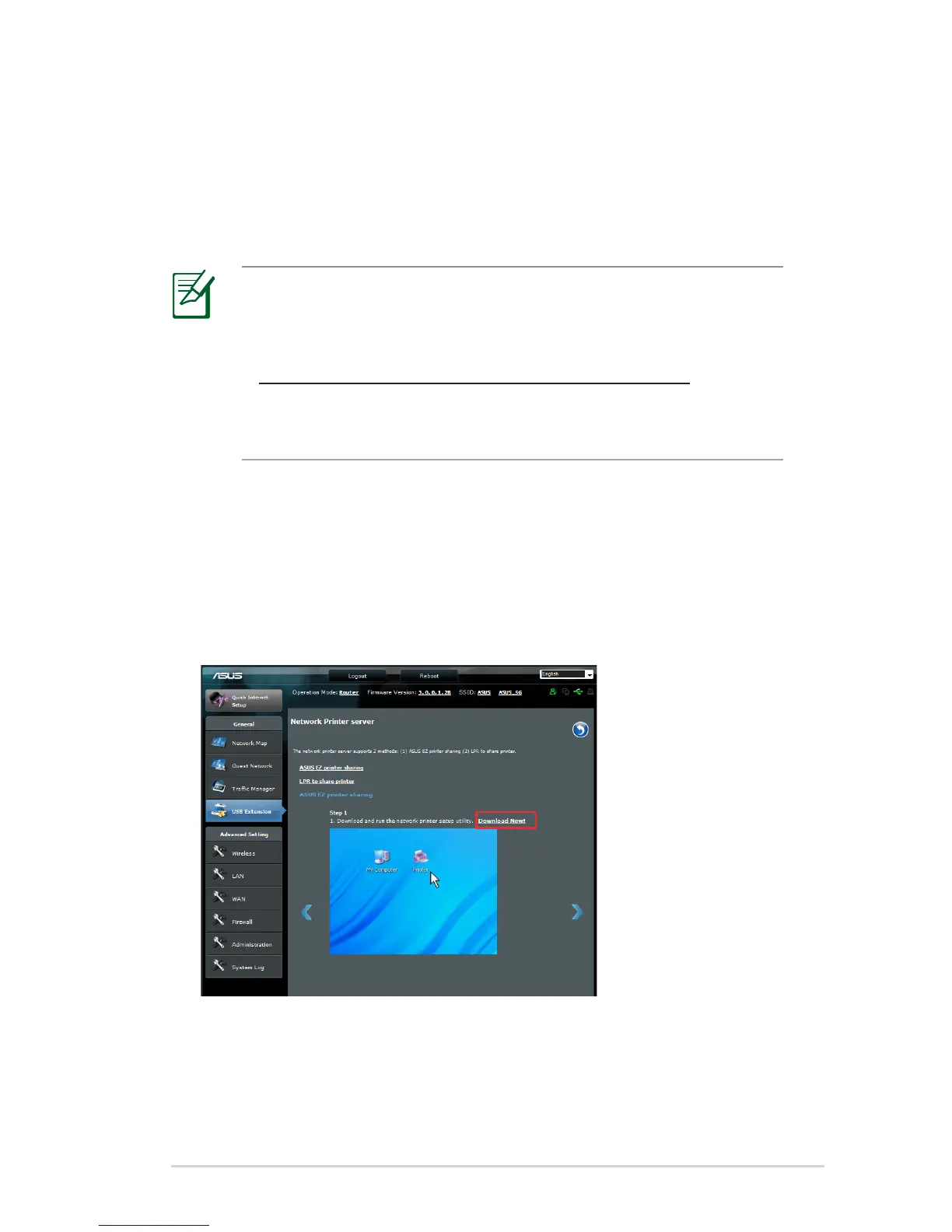
1. Click USB Extension from the navigation menu at the left side
of your screen, then click Network Printer Server.
2. Click Download Now! in the ASUS EZ printer sharing mode to
download the network printer utility.



 To Next Page