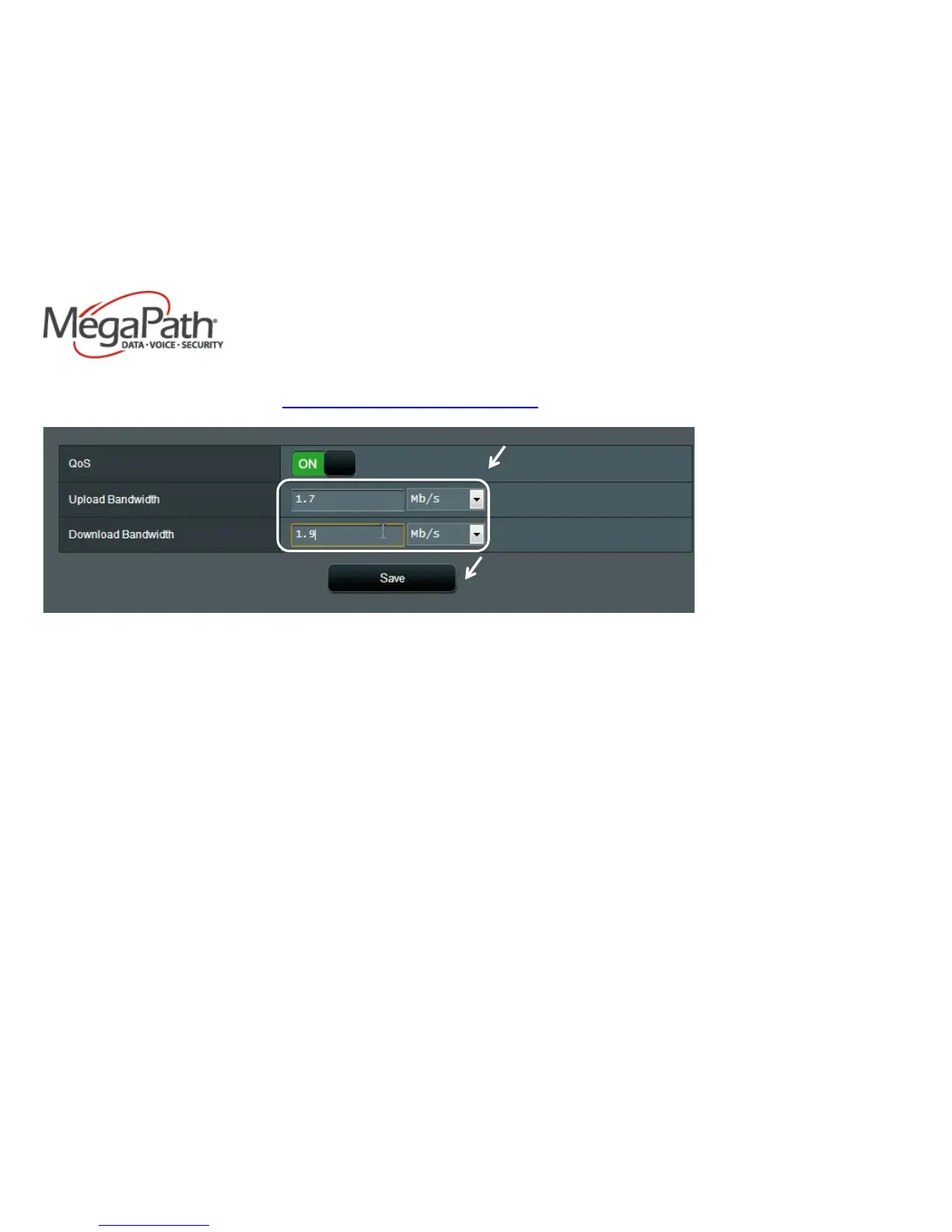
4. When the QoS slider turns green, enter your current bandwidth for both the upload and download. (If unsure of your current bandwidth
speed, please run a speed test at http://www.megapath.com/speedtestplus/.)
5. Click Save after entering your bandwidth figures.
6. Be sure to power cycle/reboot the router before proceeding.
Your QoS should now be configured.



 To Previous Page