Notebook PC E-Manual
25
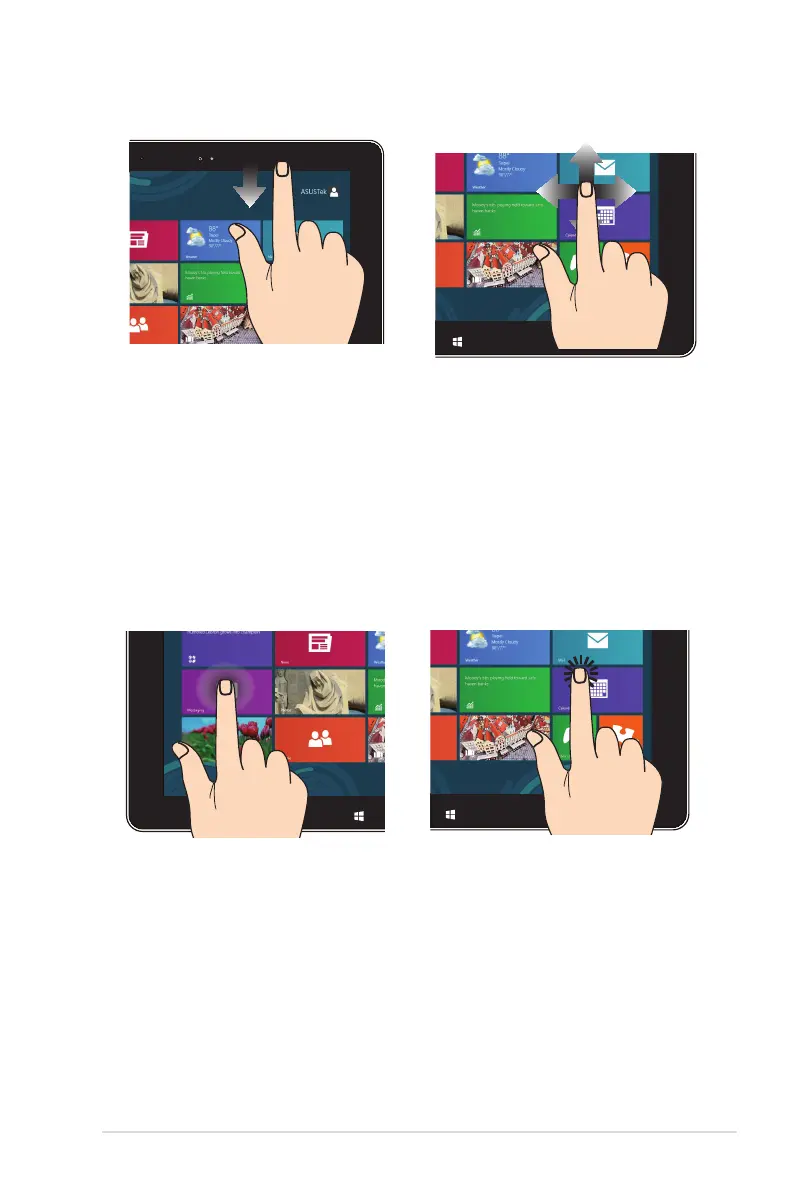
Top edge swipe Finger slide
• In the Start screen, swipe
from the top edge of the
screen to view the All Apps
bar.
• In a running app, swipe from
the top edge of the screen to
view its menu.
Slide your nger to scroll up
and down and slide your nger
to pan the screen left or right.
Tap and hold Tap/Double tap
• To move an app, tap and
hold the app tile and drag it
to a new location.
• To close an app, tap and hold
the top side of the running
app and drag it down to the
bottom of the screen to close
it.
• Tap an app to launch it.
• On Desktop mode, double-
tap an application to
launch it.


 To Next Page