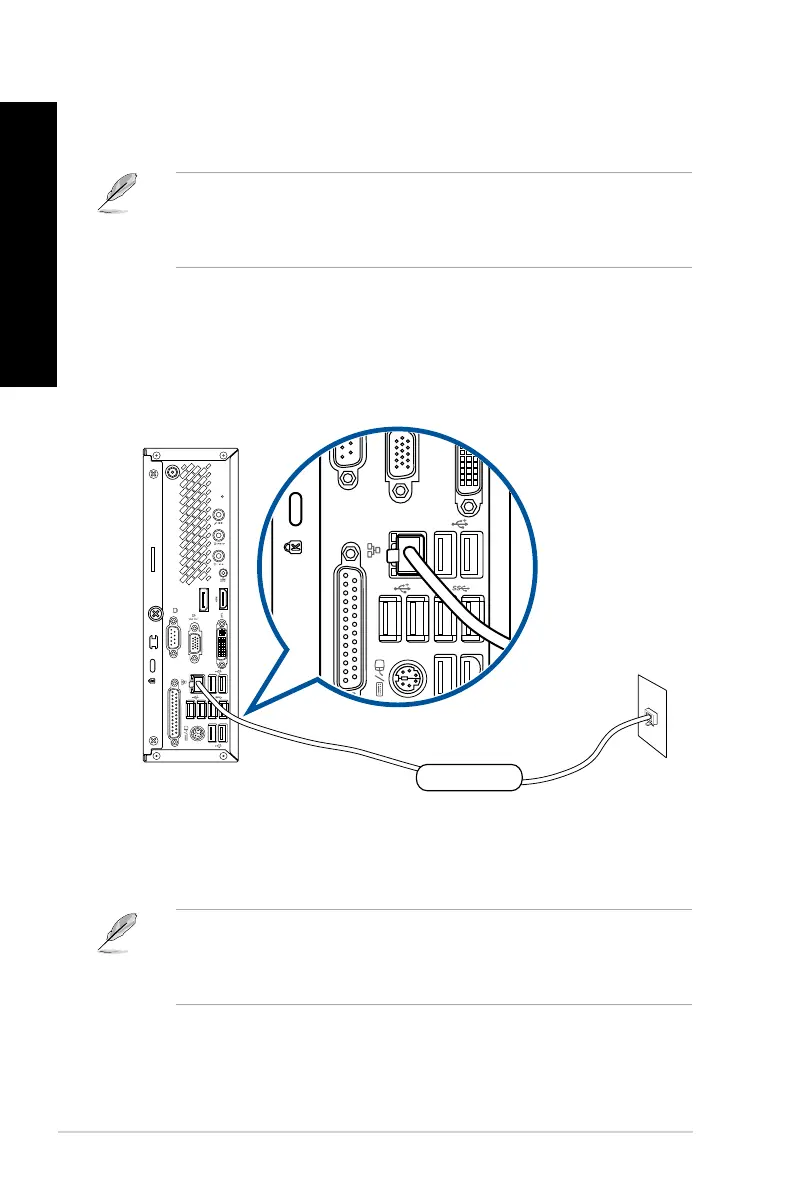
RJ-45 cable
LAN
3. Turn on the DSL/cable modem and your computer.
4. Congure the necessary Internet connection settings.
• ContactyournetworkadministratorfordetailsorassistanceinsettingupyourInternet
connection.
• Fordetails,refertothesectionConguring the Internet connection settings in the
Windows
®
7 / Windows
®
8.1 User Manual, which can be found in this manual.
Connecting via a local area network (LAN)
To connect via a LAN:
1. Connect one end of an RJ-45 cable to the LAN (RJ-45) port on the rear panel of your
computer and the other end to your LAN.
2. Turn on your computer.
3. Congure the necessary Internet connection settings.
• ContactyournetworkadministratorfordetailsorassistanceinsettingupyourInternet
connection.
• Fordetails,refertothesectionConguring the Internet connection settings in the
Windows
®
7 / Windows
®
8.1 User Manual, which can be found in this manual.
32 Chapter 4: Connecting to the Internet
ENGLISH
ENGLISH


 To Next Page