EasyManua.ls Logo

Asus SD310 - User Manual

Asus SD310
87 pages
Print Icon
To Next Page IconTo Next Page
Loading...
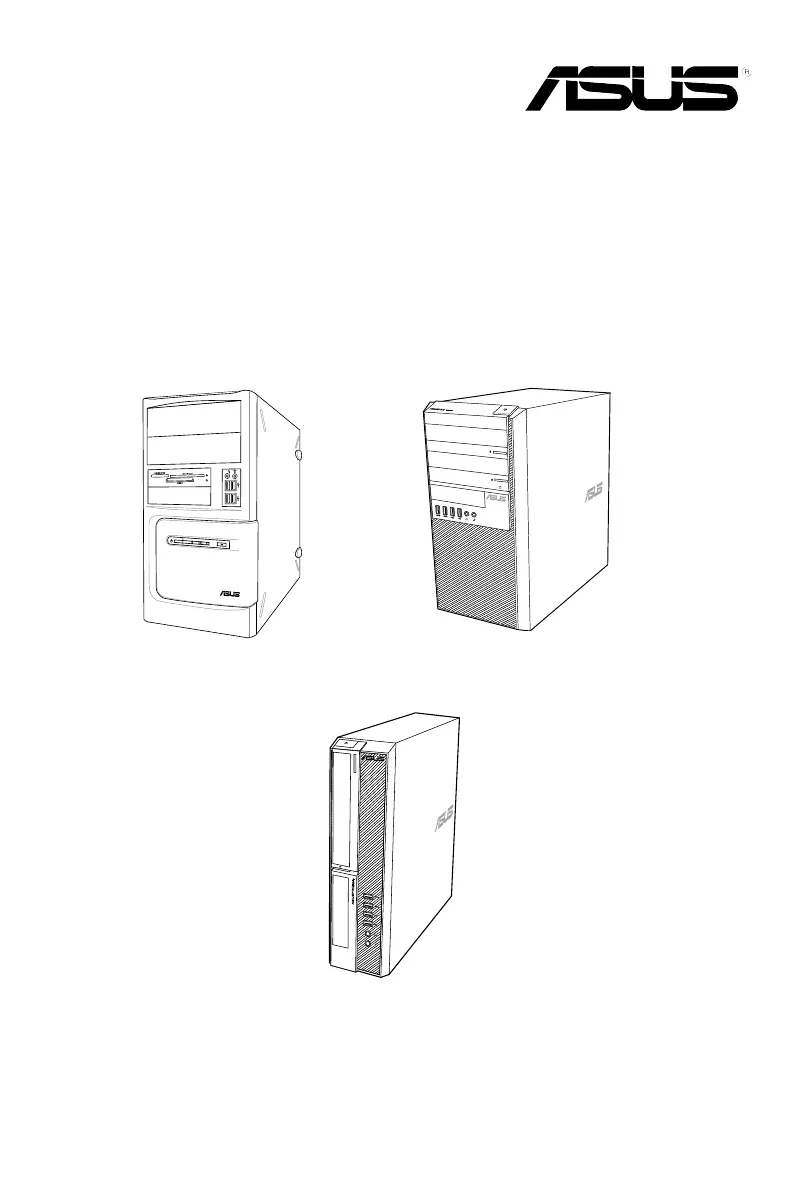
BM1AD
BM6AD (MD310)
BP1AD (SD310)
ASUS Desktop PC
User Manual
BM6AD (MD310)
BM1AD
BP1AD (SD310)

Table of Contents

Other manuals for Asus SD310

Questions and Answers

  • S
    Sandra SmithAug 16, 2025
    What to do if my Asus Desktop computer cannot be powered on?
    • D
      desiree28Aug 16, 2025
      If your computer cannot be powered on, ensure it is properly connected to a functioning wall outlet and that the Power Supply Unit is switched on. Refer to the section Turning.
  • M
    Mr. Jeffrey Kramer IIIAug 19, 2025
    What to do if there is no display on the Asus Desktop monitor?
    • K
      Kimberly KempAug 19, 2025
      If there's no display on your monitor, first ensure the monitor is powered on and properly connected to the video output port on your computer. If your computer has a discrete graphics card, connect the monitor to a video output port on that card. Inspect the monitor video connector for bent pins; if found, replace the cable. Also, verify that the monitor is properly plugged into a power source.
  • B
    Brent StanleyAug 22, 2025
    What to do if my Asus SD310 Desktop computer hangs?
    • H
      hardykaylaAug 22, 2025
      If your Asus Desktop computer hangs, simultaneously press the + + keys on the keyboard, then click Task Manager. If that doesn't work, press and hold the Power button on the top of your chassis until the computer shuts down, then press the Power button again to turn it on.
  • A
    Amber CrosbyAug 26, 2025
    Why do my speakers produce no sound on my Asus Desktop?
    • B
      Brandi WilliamsAug 26, 2025
      If your speakers produce no sound, ensure they are connected to the Line out port (lime) on the front or rear panel. Check that your speakers are connected to an electrical source and turned on, and adjust the speaker volume. Also, ensure that your computer’s system sounds are not muted. If it is muted, the volume icon is displayed as . To enable the system sounds, click from the Windows notification area, then click . If it is not muted, click and drag the slider to adjust the volume. Connect your speakers to another computer to test if the speakers are working properly.
  • C
    Christopher MillsAug 28, 2025
    What to do if my Asus SD310 computer cannot detect my USB storage device?
    • Q
      qrollinsAug 28, 2025
      If your computer cannot detect your USB storage device, wait for a while after the first connection to allow Windows to automatically install a driver for it. Then, check in My Computer to see if the device is detected. You can also connect your USB storage device to another computer to test if the USB storage device is broken or malfunctions.
  • K
    Kathy RossAug 31, 2025
    What to do if the picture on the HDTV is distorted using my Asus SD310?
    • K
      kimberlyandersonAug 31, 2025
      The picture on the HDTV is distorted because of the different resolutions of your monitor and your HDTV, so adjust the screen resolution to fit your HDTV.
  • G
    Gary FreemanSep 3, 2025
    How to restore system settings on Asus SD310 without affecting personal files?
    • R
      Reginald JacksonSep 3, 2025
      The Windows[®] System Restore feature allows you to restore or undo changes to your computer’s system settings without affecting your personal data such as documents or photos. For more details, refer to the section Restoring your. You can use Windows[®] 8.1 Refresh everything without affecting your files recovery option to restore or undo changes to your computer’s system settings without affecting your personal data such as documents or photos. To use this recovery option, click Settings > PC Settings > Update and recovery > Recovery from the Charms bar, select Refresh everything without affecting your files, and click Get Started.
  • K
    Kathleen FosterSep 6, 2025
    What to do if only one monitor has display when using multiple monitors with my Asus Desktop?
    • A
      Ashley CooperSep 6, 2025
      If only one monitor displays, ensure that both monitors are powered on. During POST, only the monitor connected to the VGA port has display; the dual display function works only under Windows. If a graphics card is installed, connect the monitors to the output port on the graphics card. Also, check if the multiple displays settings are correct.
  • M
    Matthew McdonaldSep 9, 2025
    Why are the arrow keys not working on the number keypad of my Asus SD310 Desktop?
    • B
      Billy DaySep 9, 2025
      If the arrow keys on the number key pad are not working, check if the Number Lock LED is off. When the Number Lock LED is on, the keys on the number key pad are used to input numbers only. Press the Number Lock key to turn the LED off if you want to use the arrow keys on the number key pad.
  • J
    Jeffrey RiveraSep 12, 2025
    What to do if Asus SD310 Desktop DVD drive cannot read a disc?
    • A
      Anthony HarrisSep 13, 2025
      If the DVD drive cannot read a disc, check if the disc is placed with the label side facing up. Ensure the disc is centered in the tray, especially for discs with non-standard sizes or shapes. Also, check if the disc is scratched or damaged.

Asus SD310 Specifications

General IconGeneral
Memory4GB
GraphicsIntel HD Graphics
Optical DriveDVD
LAN10/100/1000 Mbps
Wireless802.11 b/g/n
Rear I/O Ports2 x USB 3.0, 2 x USB 2.0, HDMI, VGA, LAN, Audio jacks
PortsUSB 2.0, USB 3.0, HDMI, VGA, LAN, Audio jacks
Operating SystemWindows 10

Related product manuals