
 Need help?
Do you have a question about the Asus STRIX B250G GAMING and is the answer not in the manual?
Precautions to prevent electrical hazards and ensure safe operation of the motherboard and components.
Guidelines for safe handling, installation, and operation of the motherboard and system components.
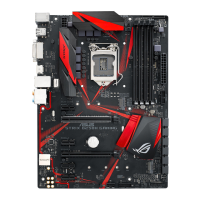
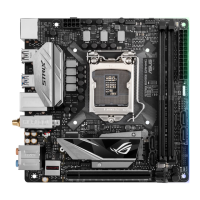
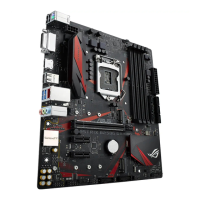
Provides a visual diagram of the motherboard, highlighting key connectors and components.
Details the LGA1151 socket and important precautions for CPU installation.
Explains the four DDR4 DIMM slots and recommended configurations.
Illustrates the PCIe x16 and PCIe x1 slots available for installing expansion cards.
Details the ATX power connectors (24-pin and 8-pin) and the Intel SATA 6 Gb/s connectors for storage devices.
Details the M.2_1 and M.2_2 sockets, their supported modes, and storage device types.
Provides a visual, step-by-step guide for installing M.2 SSD modules onto the motherboard.
Guides through installing the motherboard into the chassis and securing it with screws.
Provides step-by-step instructions and diagrams for correctly installing the CPU.
Details the process of installing and uninstalling the CPU heatsink and fan assembly.
Provides visual instructions for inserting and removing DDR4 memory modules (DIMMs).
Explains how to properly connect the 24-pin ATX power and 8-pin CPU power connectors.
Covers BIOS update methods (USB, Internet) and recovery using CrashFree BIOS 3.
 General
| Chipset | Intel B250 |
|---|---|
| Form Factor | Micro ATX |
| Socket | LGA 1151 |
| Memory Slots | 4 |
| Maximum Memory | 64 GB |
| Memory Type | DDR4 |
| Memory Speed | 2400 MHz |
| Audio | ROG SupremeFX 8-Channel High Definition Audio CODEC S1220A |
| Networking | Intel I219V Gigabit LAN |
| Storage Interface | 6 x SATA 6Gb/s |
| USB Ports | 6 x USB 2.0 |
| RAID Support | RAID 0, 1, 5, 10 |
| PCIe Slots | 1 x PCIe 3.0 x16, 1 x PCIe 3.0 x4, 2 x PCIe 3.0 x1 |




 To Next Page