
 Need help?
Do you have a question about the Asus STRIX B250I GAMING and is the answer not in the manual?
Precautions to prevent electrical shock hazards and ensure safe operation.
Guidelines for safe handling and use of the motherboard and its components.
Details on CPU socket, chipset, and DDR4 memory support.
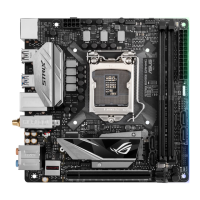
Introduces the motherboard and its key features.
Crucial safety precautions before installing or modifying components.
Step-by-step guide for assembling PC components onto the motherboard.
Details on connecting external peripherals to the rear I/O ports.
Steps to power on the system and initial boot sequence.
Introduction to ASUS UEFI BIOS and its importance for system settings.
How to enter and navigate the BIOS setup utility.
Detailed view of BIOS settings for experienced users.
Configuration options for overclocking and performance tuning.
Settings for system devices, CPU, PCH, and onboard controllers.
Configuring boot order and device boot options.
Procedures for updating the motherboard's BIOS for stability and features.
 General
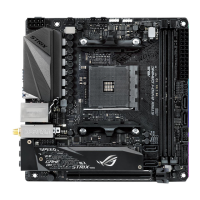
| Form Factor | mini-itx |
|---|---|
| Chipset | intel b250 |
| Processor Socket | socket lga 1151 |
| Processor Compatibility | intel pentium, intel celeron, intel core i5, intel core i3, intel core i7 |
| Maximum Memory | 32 gigabytes |
| Power Connector | 24-pin main power connector, 8-pin atx12v connector |
| PCI Slots | 1 |
| PCI Bus Slots | 1 |
| Memory Slots | 2 |
 Weight and Dimensions
| Width | 6.7 inches |
|---|---|
| Net Weight | 5.23 ounces |





 To Next Page