ASUS Transformer Book Trio E-Manual
39
Using the PC station
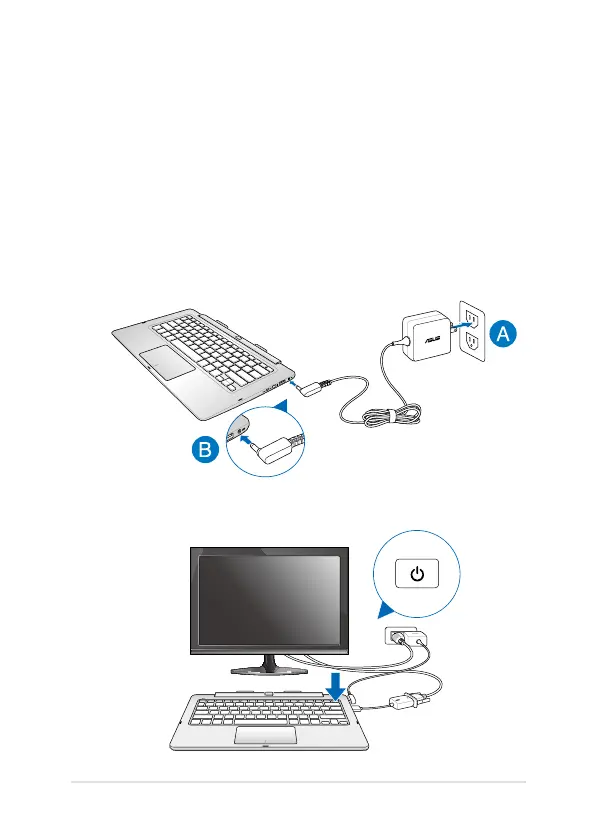
Refer to the following steps when using your PC station as a separate
device.
1. Connect your PC station to an external display.
2. Connect your PC station to a power outlet:
A. Plug the AC power adapter into a 100V~240V power source.
B. Connect the DC power connector into your PC station’s
power (DC) input port.
3. Press the power button on your PC station.













 To Next Page