ASUS Transformer Book Trio E-Manual
43
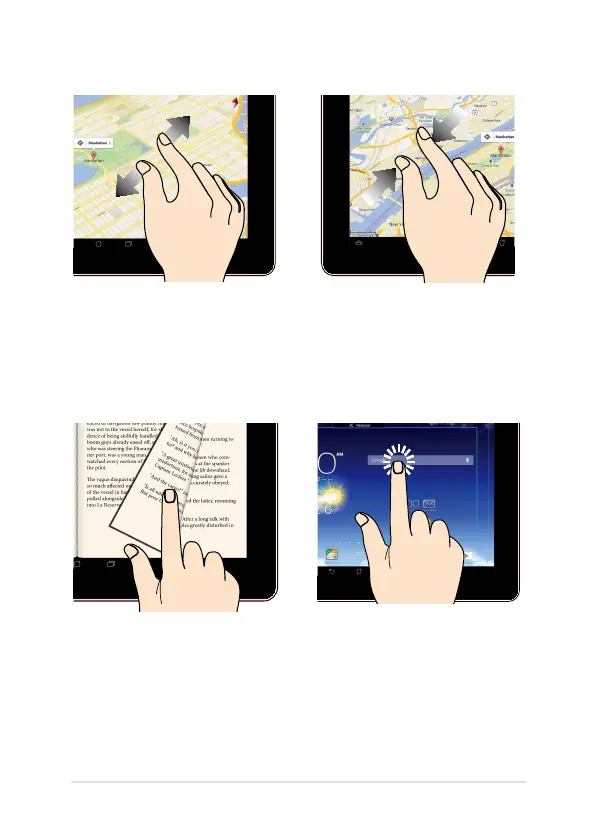
Zoom in
Zoom out
Spread apart your two ngers on
the touch panel to zoom in an
image in Gallery, Maps or Places.
Bring together your two ngers
on the touch panel to zoom out
an image in Gallery, Maps or
Places.
Swipe Tap/Touch
Swipe your nger to the right or to
the left on the touch panel display
to switch between screens or to ip
through the pages of an e-book or
a gallery of images.
• Tap an app to launch it.
• In the File Manager app,
tap to select and open a
le.













 To Next Page