
 Need help?
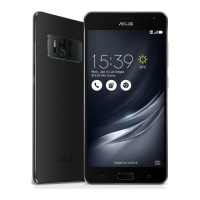
Do you have a question about the Asus VERIZON ZENFONE AR and is the answer not in the manual?
Important notices and safety precautions for charging the device.
Procedure for turning the ASUS Phone on, off, and putting it into sleep mode.
Guidance through the initial device setup process using the Setup Wizard.
Utilize security features to prevent unauthorized access to your device.
Details on the default lock screen and how to customize its settings.
Organizing contacts, grouping favorites, and managing VIP contacts.
Surfing the internet using the device's Chromium-based browser.
Setting up and managing personal or work email accounts.
 General
| Display | 5.7 inches, Super AMOLED, 1440 x 2560 pixels |
|---|---|
| Processor | Qualcomm Snapdragon 821 |
| RAM | 6 GB |
| Front Camera | 8 MP |
| Battery | 3300 mAh |
| Weight | 170 g |
| SIM | Nano-SIM |
| Colors | Black |
| Rear Camera | 23 MP |
| Operating System | Android 7.0 (Nougat) |
| Network | GSM / CDMA / HSPA / EVDO / LTE |
| Special Features | Tango (AR), Daydream (VR) |












 To Next Page