42 ASUS Xonar DG
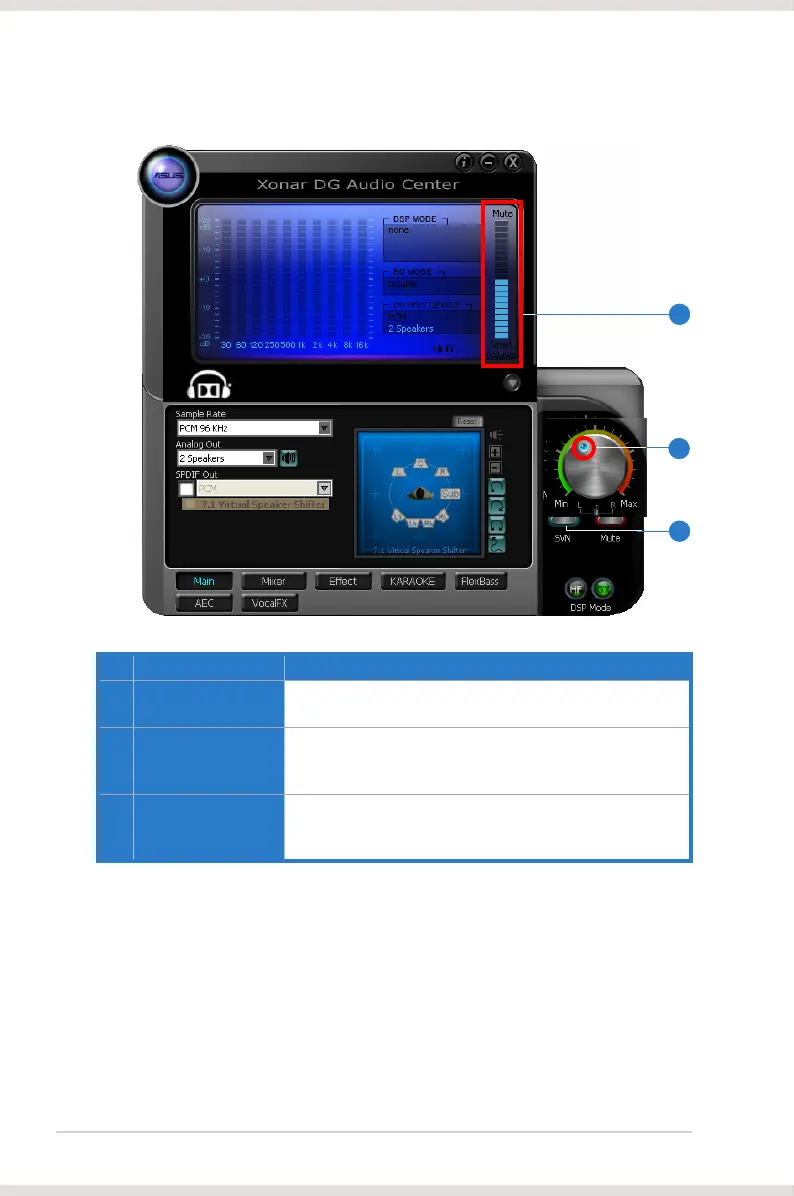
No Item Description
1 SVN On/Off
Click this button to enable SVN. This button is outlined blue
when active.
2 SVN display
When SVN is enabled, “Smart Volume” will be lit up at the
bottom of the volume meter and the volume meter will show
the level.
3 SVN blue light
When SVN is enabled, the master volume knob will be
illuminated by a blue light. It will be lit red if the volume is
muted.
3
1
2



 To Next Page