1-32
Chapter 1: Product Introduction
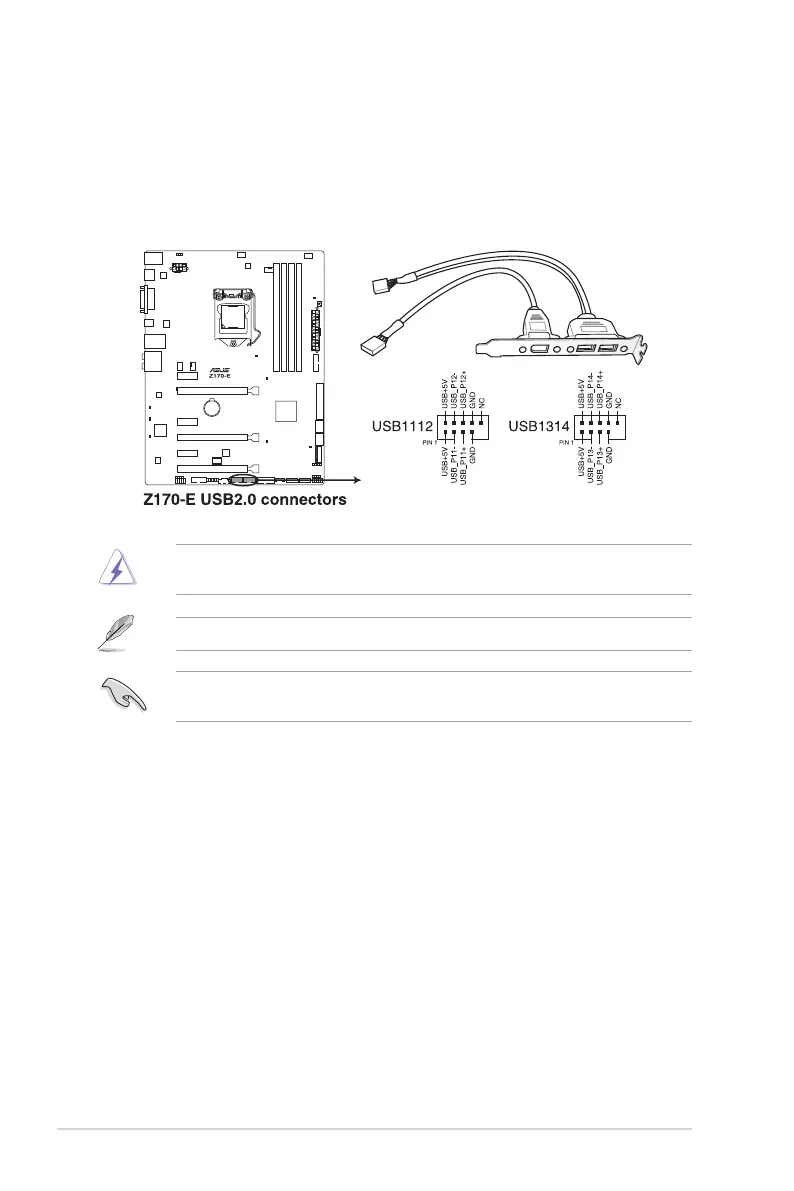
12. USB 2.0 connectors (10-1 pin USB1112, USB1314)
These connectors are for USB 2.0 ports. Connect the USB module cable to any of
these connectors, then install the module to a slot opening at the back of the system
chassis. These USB connectors comply with USB 2.0 specications and supports up to
480 Mb/s connection speed.
Never connect a 1394 cable to the USB connectors. Doing so will damage the
motherboard!
The USB 2.0 module is purchased separately.
These connectors are based on xHCI specication. We recommend you to install the
related driver to fully use the USB 2.0 ports under Windows
®
7.






 To Next Page