60
Chapter 7: Staying connected
Bluetooth Tethering
Enable Bluetooth tethering on your ASUS Phone to share its Internet connection with other devices.
1. Enable Bluetooth on your ASUS Phone and the other device.
2. Pair both devices.
NOTE: For details, see Pairing your ASUS Phone to a Bluetooth® device.
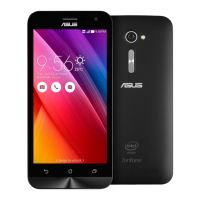
3. From the Settings screen, tap Network & internet > Hotspot & tethering, then silde Bluetooth
tethering to ON.
USB Tethering
Enable USB tethering on your ASUS Phone and share its Internet connection with other devices.
1. Connect your ASUS Phone to another device with a USB cable.
2.
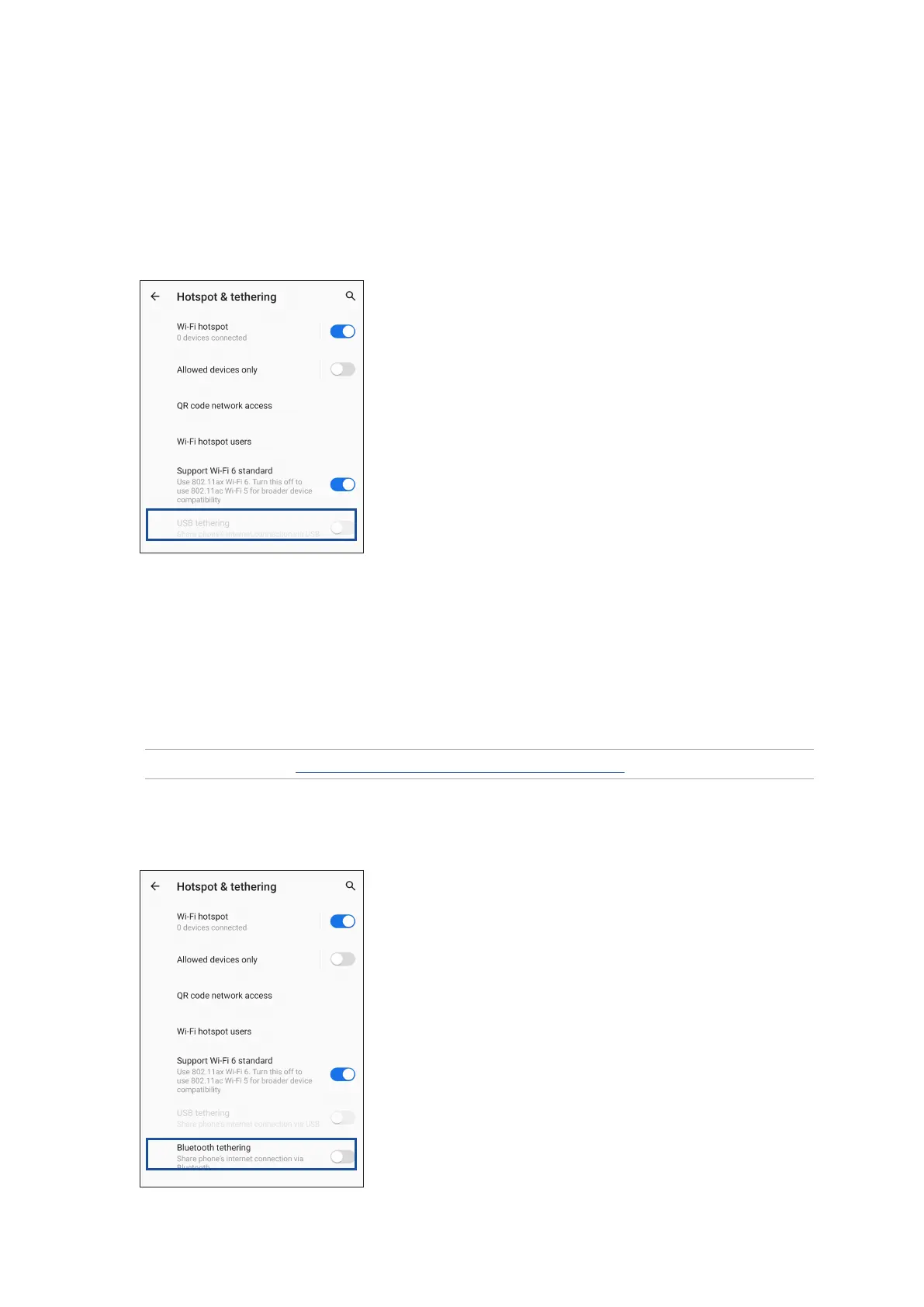
From the Settings screen, tap Network & internet > Hotspot & tethering, then silde USB
tethering to ON
to enable tethering.








 To Next Page