63
Chapter 8: Travel and Maps
Clock
Customize the time zone settings of your ASUS Phone, set alarms, and use your ASUS Phone as a
stop watch using the Clock app.
Launching Clock
Launch the Clock app using either of the following options:
• Swipe up on your Home screen then tap Clock.
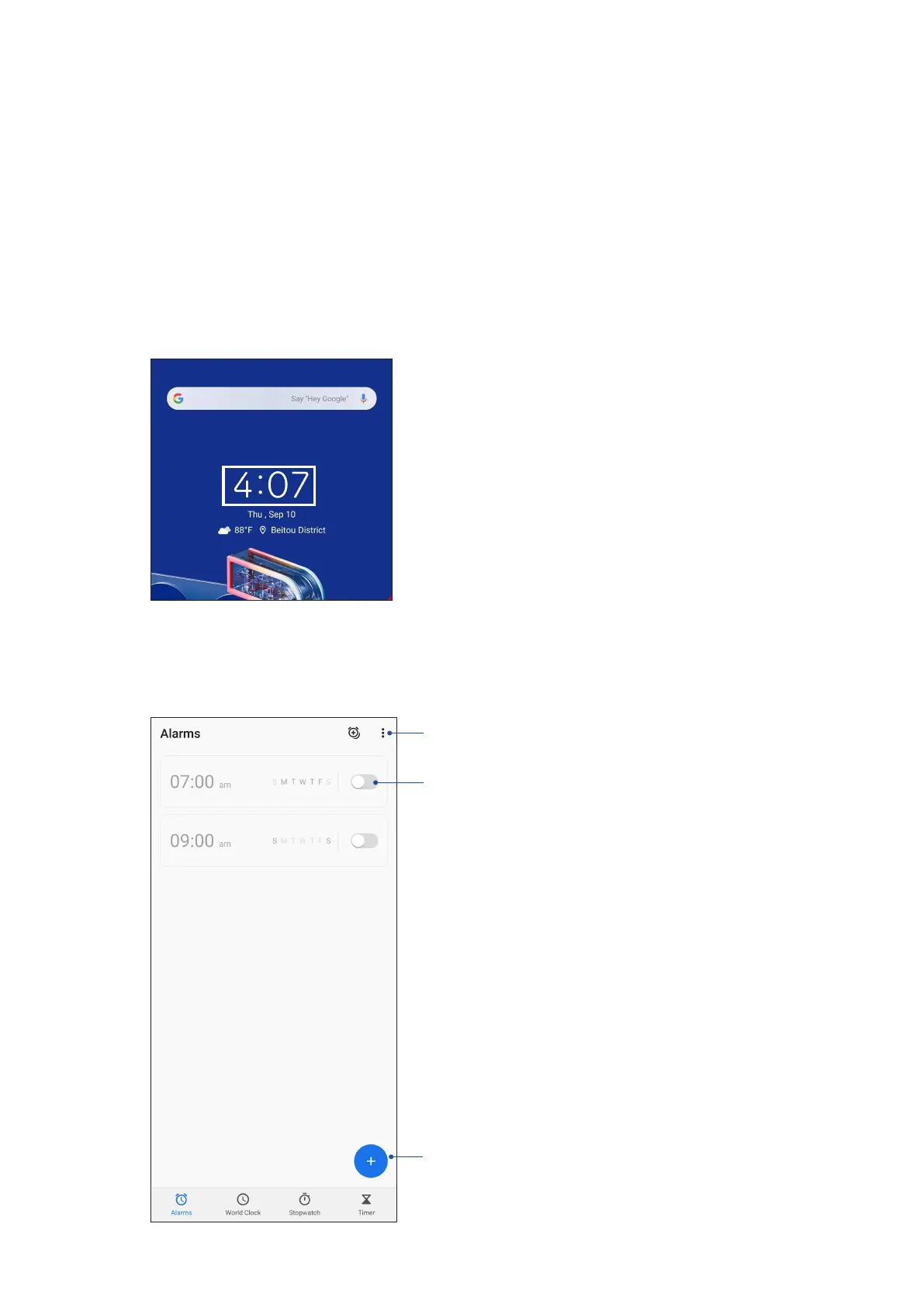
• From your ASUS Phone’s home screen, tap the digital clock display.
Alarm clock
Tap Alarms to access the alarm clock settings of your ASUS Phone.
Tap this to access the settings of the alarm clock feature
Slide to trun on/o the alarm
Tap this to set a new alarm time














 To Next Page