2
Table of Contents
Notices .................................................................................................................................................... 3
Safety Precautions .................................................................................................................................. 4
1. Package Contents .............................................................................................................................. 5
2. Optional Accessories .......................................................................................................................... 7
3. Hardware Installation Guide .............................................................................................................. 8
Tools Needed for Hard Disk Installation ............................................................................................. 8
Hard Disk Installation .......................................................................................................................... 8
Securing the Power Cord .................................................................................................................. 10
Connecting and Powering on the NAS .............................................................................................. 11
Upgrading System Memory .............................................................................................................. 12
Installing M.2 SSD ............................................................................................................................. 15
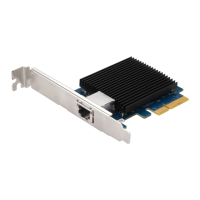
Installing a Network Card .................................................................................................................. 19
4. Software Installation Guide .............................................................................................................. 25
Download Center Installation ........................................................................................................... 25
Web Installation ................................................................................................................................ 27
Installation Using a Mobile Device .................................................................................................... 28
Installation Using the LCD Display .................................................................................................... 30
5. Appendix ........................................................................................................................................... 32
LED Indicators ................................................................................................................................... 32
Rear Panel ......................................................................................................................................... 33
Operating the LCD Panel ................................................................................................................... 33
Shutting Down Your NAS .................................................................................................................. 36
Troubleshooting ................................................................................................................................ 37


 To Next Page