EasyManua.ls Logo

Atak 32A700 - User Manual

Atak 32A700
34 pages
Print Icon
To Next Page IconTo Next Page
Loading...
USER’S MANUAL
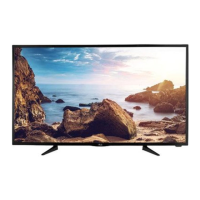
32” LED TELEVISION
32A700
Ver 1.0
For technical assistance or troubleshooting
please call 1-855-994-2825 or visit www.sibrandssupport.com
Question and Answer IconNeed help?

Do you have a question about the Atak 32A700 and is the answer not in the manual?

Summary

Important Safety Instructions

Introduction

Whats In The Box

Lists all items included in the TV package for setup and use.

Remote Control

Battery Install

Instructions for installing batteries in the remote control handset.

Remote Control Overview

TV Overview

Front Panel

Identifies and explains the controls and indicators on the front of the TV.

Rear Panel & Pedestal Removal

Installation

Connection to Antenna & Cable; Satellite Box

Guide for connecting the TV to broadcast signal sources like antennas or cable boxes.

Connection to HDMI Input

Connection to Component YPbPr Input

Connection to Composite Input

Connection to a Personal Computer

Connection to a Home Theater System

TV Setup

Initial Setup Wizard

Guides users through the initial TV setup process upon first power-on.

TV Settings

TV Provider Setup & Channel Auto Scan

How to set up TV providers and perform an automatic channel scan.

Picture Setting

Audio Settings

Date & Time Settings

Setup Settings

CEC

Closed Captions

Parental Control

Parental Control (Canadian Ratings)

TV Settings

USB Modes

MHL Setting

Specifications

Troubleshooting

LIMITED ONE-YEAR TELEVISION WARRANTY

Atak 32A700 Specifications

General IconGeneral
Screen Size32 inches
Display TechnologyLED
Aspect Ratio16:9
Refresh Rate60 Hz
HDMI Ports2
USB Ports1
Built-in SpeakersYes
Resolution1366 x 768

Related product manuals