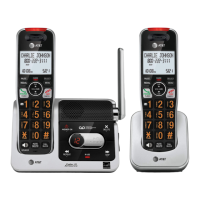
Getting started
7
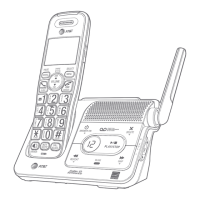
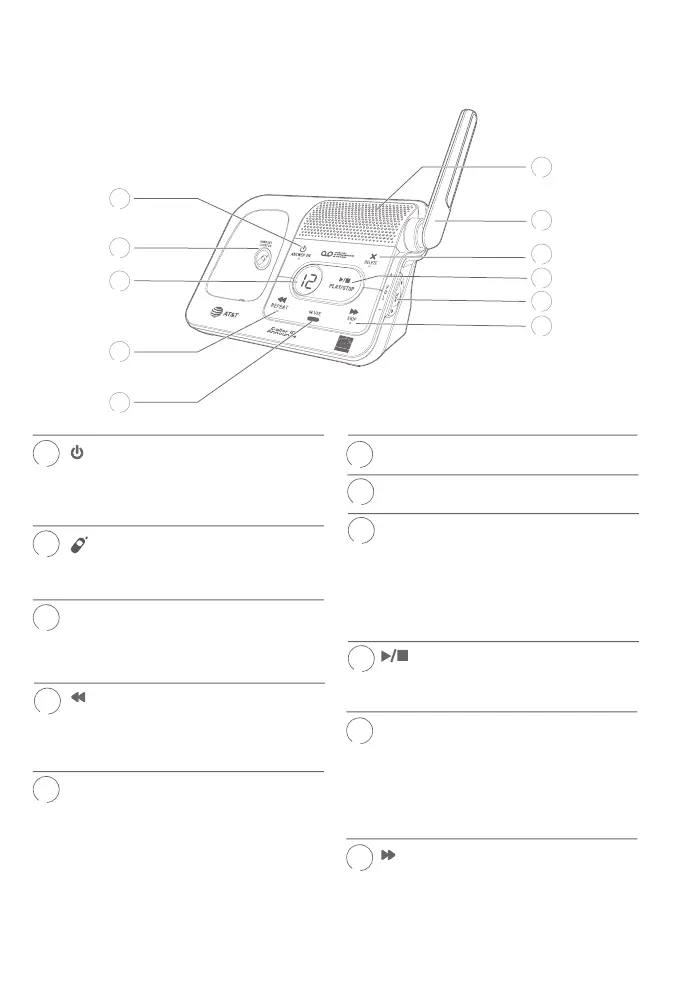
Quick reference guide - telephone base
/ANSWER ON
f Press to turn the built-in
answering system on or o
(page 69).
/HANDSET LOCATOR
f While the phone is idle, press to
page all handsets (page 25).
Message counter
f Shows the number of
messages or other answering
system information.
/REPEAT
f Press to repeat a message.
f Press twice to play the previous
message (page 76).
IN USE indicator
f On when the handset is in use,
or when the answering system is
answering an incoming call.
f Flashes when another
telephone is in use on the same
line.
f Flashes when there is an
incoming call.
1
Speaker
Antenna
X/DELETE
f Press to delete the message
currently playing (page 76).
f Press twice to delete all old
messages when the phone is not
in use (page 77).
/PLAY/STOP
f Press to start or stop message
playback (page 76).
q VOL p
f During message playback, press
to adjust the listening volume
(page 76).
f While in idle mode, press to
adjust the base ringer volume.
/SKIP
f Press to skip a message (page
76).
10
2
1
3
4
5
9
10
11
8
7
6
4
5


 To Next Page
 Loading...