EasyManua.ls Logo

Atari 400 - Page 82

Atari 400
244 pages
Print Icon
To Next Page IconTo Next Page
To Previous Page IconTo Previous Page
Loading...
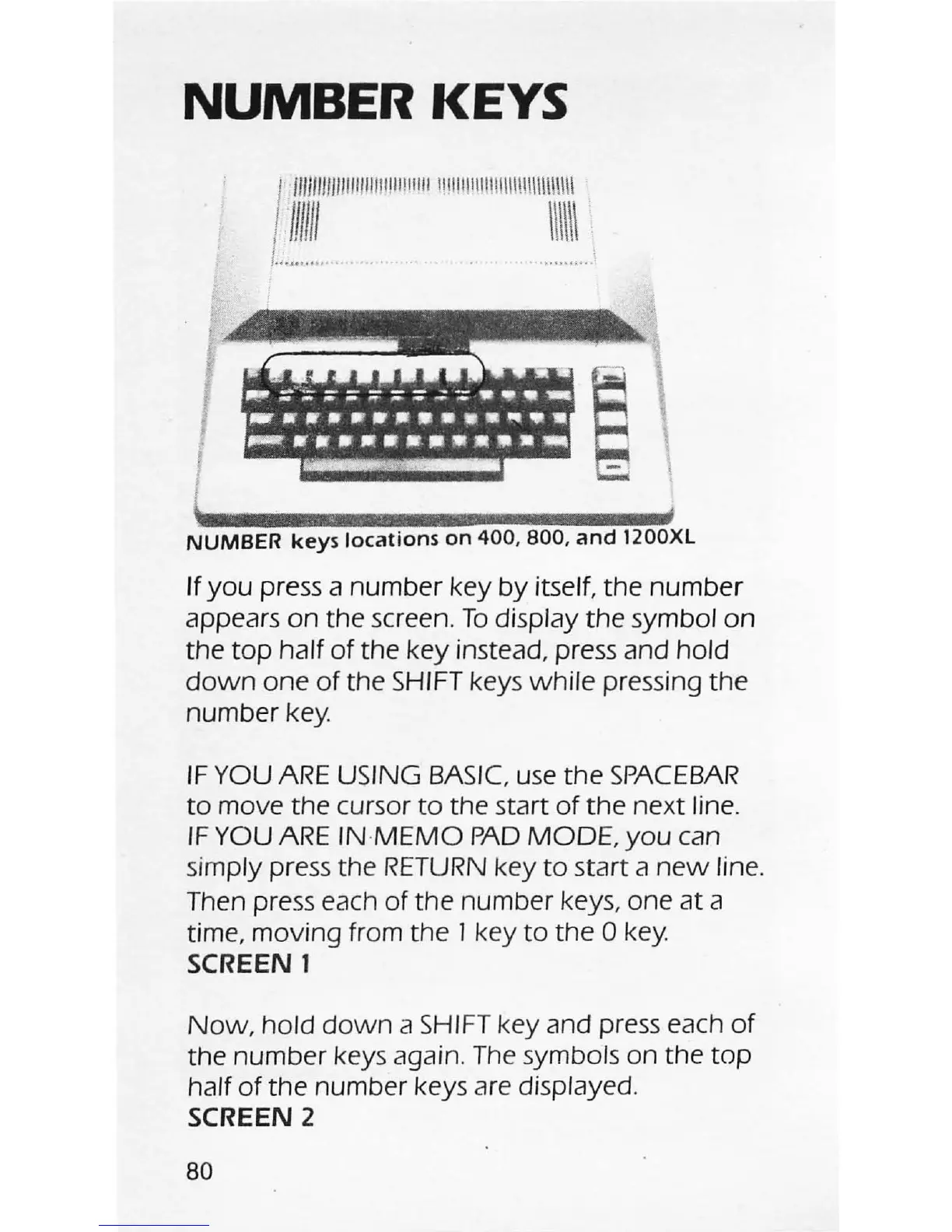
NUMBER KEYS
l/1111;m"IllIlIIJIJII!IIIII
!!I111I11I1
1lI
1I1I!!\\\\\\\\\
.
I
...
.
....
...
.. .
I
l f
NUMBER
keys
locations
on
400,800,
and
1200XL
If
you
press a number key
by
itself, the
number
appears
on
the screen.
To
display the symbol on
the
top
half
of
the key instead, press and hold
down
one
of
the
SHIFT
keys
while
pressing the
number
key.
IF
YOU
ARE
USING BASIC
use
the
SPACEBAR
to
move the cursor
to
the start
of
the
next line.
IF
YOU
ARE
INMEMO
PAD
MODE,
you
can
simply press the
RETURN
key
to
start a
new
line.
Then press each
of
the number keys, one
at
a
time, moving from the J key
to
the 0
key.
SCREEN
1
Now,
hold
down
a
SHIFT
key and press each
of
the number keys again.
The
symbols on the
top
half
of
the number keys are displayed.
SCREEN
2
80