XBIOS Device and System Functions
ing routines) also use these settings when determining what
kind of output to send to the printer. Note that the built-in
screen print feature does not support some possible printer
types (like Epson color printers, or color daisywheels). The
format for the Setprt() call is:
int code, newcode;
code = Setprt(newcode);
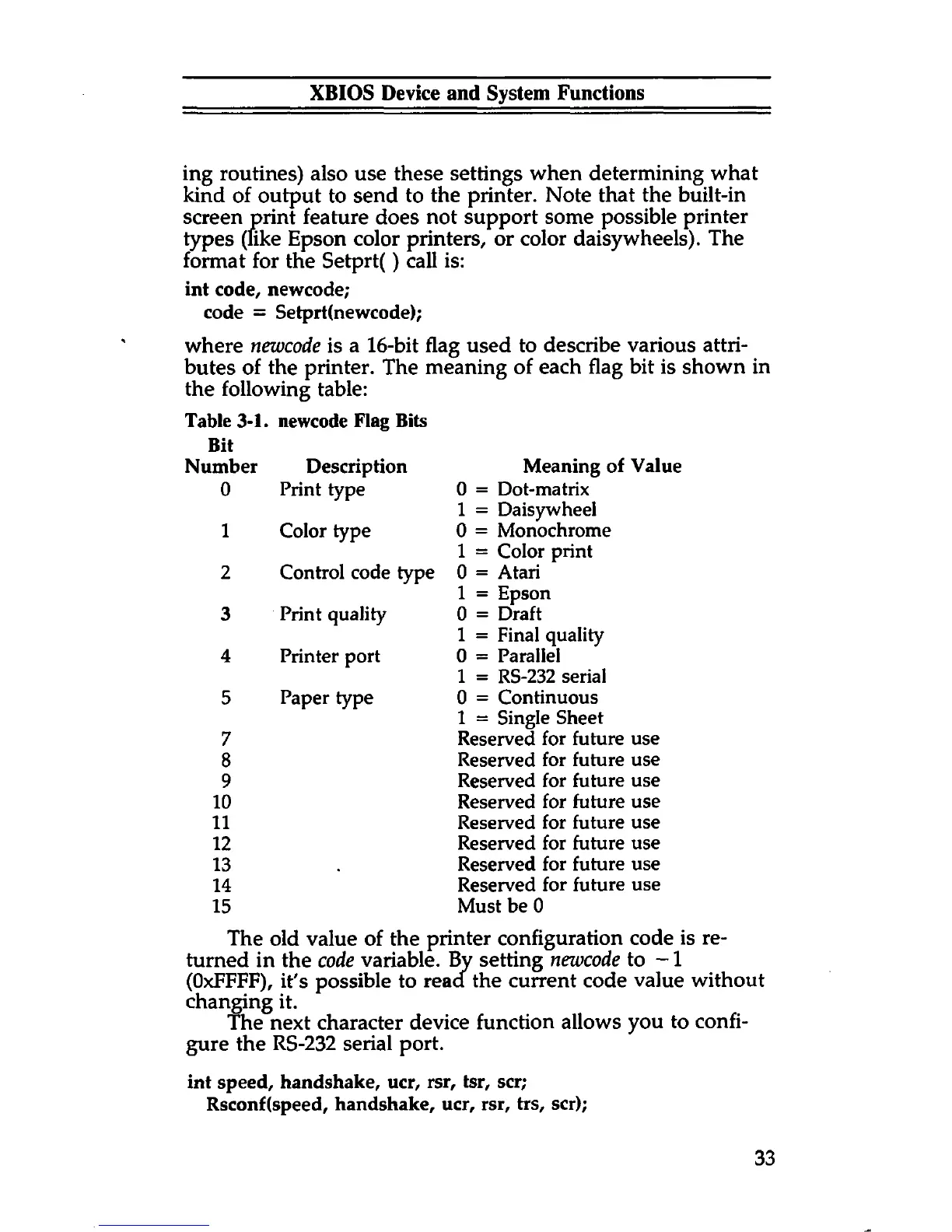
where newcode is a 16-bit flag used to describe various attri
butes of the printer. The meaning of each flag bit is shown in
the following table:
Table 3-1. newcode Flag Bits
Bit
Number Description
Meaning of Value
0 Print type
0 = Dot-matrix
1 = Daisywheel
1 Color type
0 = Monochrome
1 = Color print
2 Control code type
0 = Atari
1 = Epson
3
Print quality 0 = Draft
1 = Final quality
4 Printer port
0 = Parallel
1 = RS-232 serial
5
Paper type
0 = Continuous
1 = Single Sheet
7
Reserved for future use
8
Reserved for future use
9
Reserved for future use
10
Reserved for future use
11
Reserved for future use
12
Reserved for future use
13
Reserved for future use
14
Reserved for future use
15
Must be 0
The old value of the printer configuration code is re
turned in the code variable. By setting newcode to -1
(OxFFFF), it's possible to reaa the current code value without
changing it.
The next character device function allows you to confi
gure the RS-232 serial port.
int speed, handshake, ucr, rsr, tsr, scr;
Rsconf(speed, handshake, ucr, rsr, trs, scr);
33



 To Next Page