CHAPTER 3
Chapter 5) and store its address in location $502. Since that
location is in protected memory, first switch to Supervisor
mode (see the Supexec() function below). If you want to
keep the new driver installed after the program ends, use
GEMDOS function 49 ($31) to keep the program code resi
dent when it terminates.
The screen print vector at $502 can be diverted for other
purposes in addition to installing new printer drivers. Some
snapshot
programs, for example, use this vector to install a
routine that saves the screen picture to a disk file when the
Alt-Help keys are pressed, rather than sending it to a
printer. It's also possible to install a short routine that tests
for shift-keys when Alt-Help is pressed, This allows addi
tional hot-key programs to be installed, rather than just re
placing the screen print function.
The default screen print code calls another XBIOS func
tion to do the actual printing. This function can be used to
print all of the screen or only a part of it. Its name is
Prtblk(), and it's called like this:
long prtable;
Prtblk(prtable);
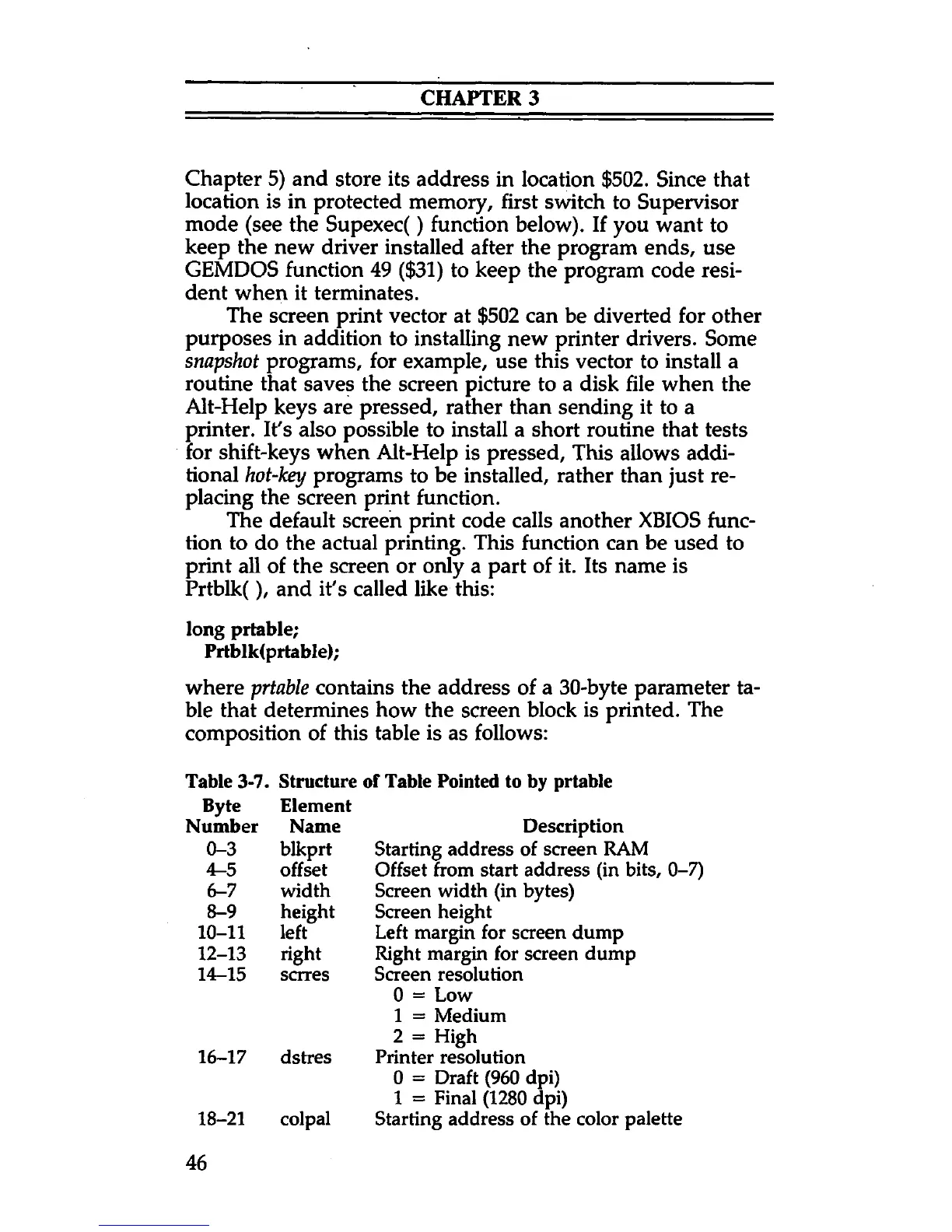
where prtable contains the address of a 30-byte parameter ta
ble that determines how the screen block is printed. The
composition of this table is as follows:
Table 3-7. Structure of Table Pointed to by prtable
Byte Element
Number Name
Description
0-3
blkprt
Starting address of screen RAM
4-5
offset Offset from start address (in bits, 0-7)
6-7 width Screen width (in bytes)
8-9 height
Screen height
10-11 left
Left margin for screen dump
12-13
right Right margin for screen dump
14-15 scrres
Screen resolution
0 = Low
1 = Medium
2 = High
16-17 dstres Printer resolution
0 = Draft (960 dpi)
1 = Final (1280 dpi)
18-21 colpal
Starting address of the color palette
46



 To Next Page