CHAPTER 4
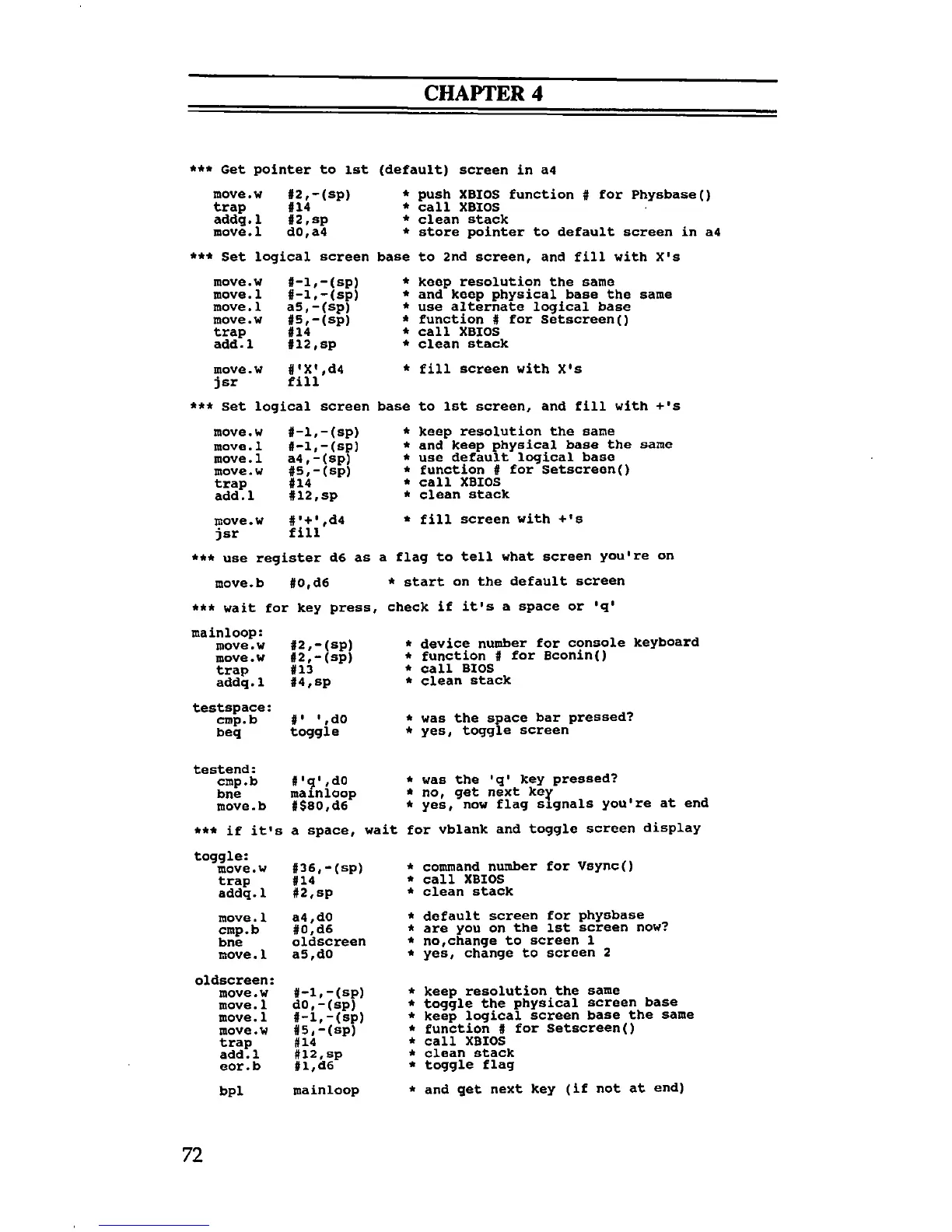
*** Get pointer to 1st (default) screen in a4
move.w #2,-(sp)
trap #14
addg.l #2,sp
move.l d0,a4
* push XBIOS function # for Physbase()
* call XBIOS
* clean stack
* store pointer to default screen in a4
*** Set logical screen base to 2nd screen, and fill with X's
ction # for Setscreen()
1 XBIOS
an stack
* fill screen with X's
base to 1st screen, and fill with + 's
move.w #-l,-(sp)
*
move.1 #-l,-(sp)
*
move.1
a5,-(sp)
*
move.w #5,-(sp)
*
trap #14
*
add. 1 #12,sp
*
move.w #'X',d4
*
jsr fill
< Set logical screen
base
move.w #-l,-(sp)
*
move.1
#-l,-(sp)
*
move.1
a4,-(sp)
*
move.w
#5,-(sp)
*
trap
#14
*
add.l
#12 ,sp
*
move.w
#'+’,d4
*
jsr
fill
*** use register d6 as
move.b #0,d6
*** wait for key press
mainloop:
move.w
move.w
trap
addq.1
testspace:
cmp.b
beq
#2,— (sp)
#2,-(sp)
#13
#4,sp
#' ',d0
toggle
* fill screen with + 's
a flag to tell what screen you're on
* start on the default screen
r check if it's a space or 'q'
* device number for console keyboard
* function # for Bconin()
* call BIOS
* clean stack
* was the space bar pressed?
* yes, toggle screen
testend:
cmp.b
#'9',do
*
bne
mainloop
*
move.b
#$80,d6
*
*** if it's
a space, wait
ft
toggle:
move.w
#36,-(sp)
*
trap
#14
*
addq. 1
#2, sp
*
move.1
a4 ,d0
*
cmp.b
#0,d6
*
bne
oldscreen
*
move.1
a5,d0
*
oldscreen:
move.w
#-l,-(sp)
*
move. 1
d0,-(sp)
*
move. 1
#-l,-(sp)
*
move.w
#5,-(sp)
*
trap #14
*
add. 1
#1 2 ,sp
*
eor.b
#l,d6
*
bpl
mainloop
*
iiw f ueAb acj
yes, now flag signals you're at end
call XBIOS
clean stack
no,change to screen 1
yes, change to screen 2
keep resolution the same
toggle the physical screen base
keep logical screen base the same
function # for Setscreen()
call XBIOS
clean stack
toggle flag
and get next key (if not at end)
72



 To Next Page