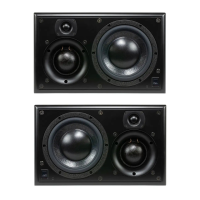
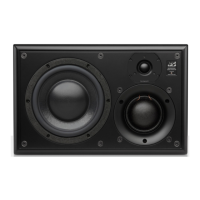
TheSCM20 Classic and Towerare heavy items and should be handled with care. Two people are required to unpack the oor-standing ‘Tower’
SCM20ASLT/PSLT. It is recommended to unpack them on the oor covered by a soft surface such as carpet or a rug and with ample open space
around the carton, ideally near their nal installation location.
To unpack these loudspeakers, please follow the steps below:
Tip! If your speaker stands have spikes, do not t them until you have found the optimal position for the speakers.
STAND-MOUNT SPEAKER
1 Open the carton and remove all loose items, leaving the
foam in place. Take care to remove all staples from the box
as they are sharp.
2 Fold the aps of the carton back and ip the carton over
so the open end is facing down.
3 Lift the carton o the contents, leaving the speaker and foam
on the oor (speaker & foam ‘endcaps’).
4 Being careful not to touch the front face of the loudspeaker ,
remove the upper foam end cap. Note: the ATC logo on the
protective bag indicates the front face of the speaker.
5 Un-tie the protective fabric bag, push the bag down towards
the remaining foam end cap, again taking care not to
damage the drive units. Flip the speaker & foam over so the
speaker is standing on the oor.
6 Remove the top foam end-cap.
7 Remove the bag.
8 Carefully lift the speaker into position taking care not to push
against the drive units or knock the cabinet on any hard surfaces.
TOWER SPEAKER
1 Open carton and remove all loose items, leaving the foam
in place. Take care to remove all staples from the box as they
are sharp.
2 Fold the aps of the carton back and ip the carton over
so the open end is facing down.
3 Lift the carton o the contents, leaving the speaker and foam
on the oor (speaker & foam ‘tray’).
4 Being careful not to touch the front face of the loudspeaker,
remove the foam ‘tray’. Note: the ATC logo on the protective bag
indicates the front face of the speaker.
5 Un-tie the protective fabric bag and open the end up
to expose the base of the speaker. Slide the speaker to the
edge of the foam ‘tray’.
6 Taking care not to damage the drive units, stand the speaker
up on the oor.
7 Remove the bag.
8 Carefully lift the speaker into position taking care not to push
against the drive units or knock the cabinet on any hard surfaces.
SECTION TWO
Unpacking and Handling
2.2
PASSIVE
SCM20PS LT
SCM20PSL


 To Next Page
 Loading...