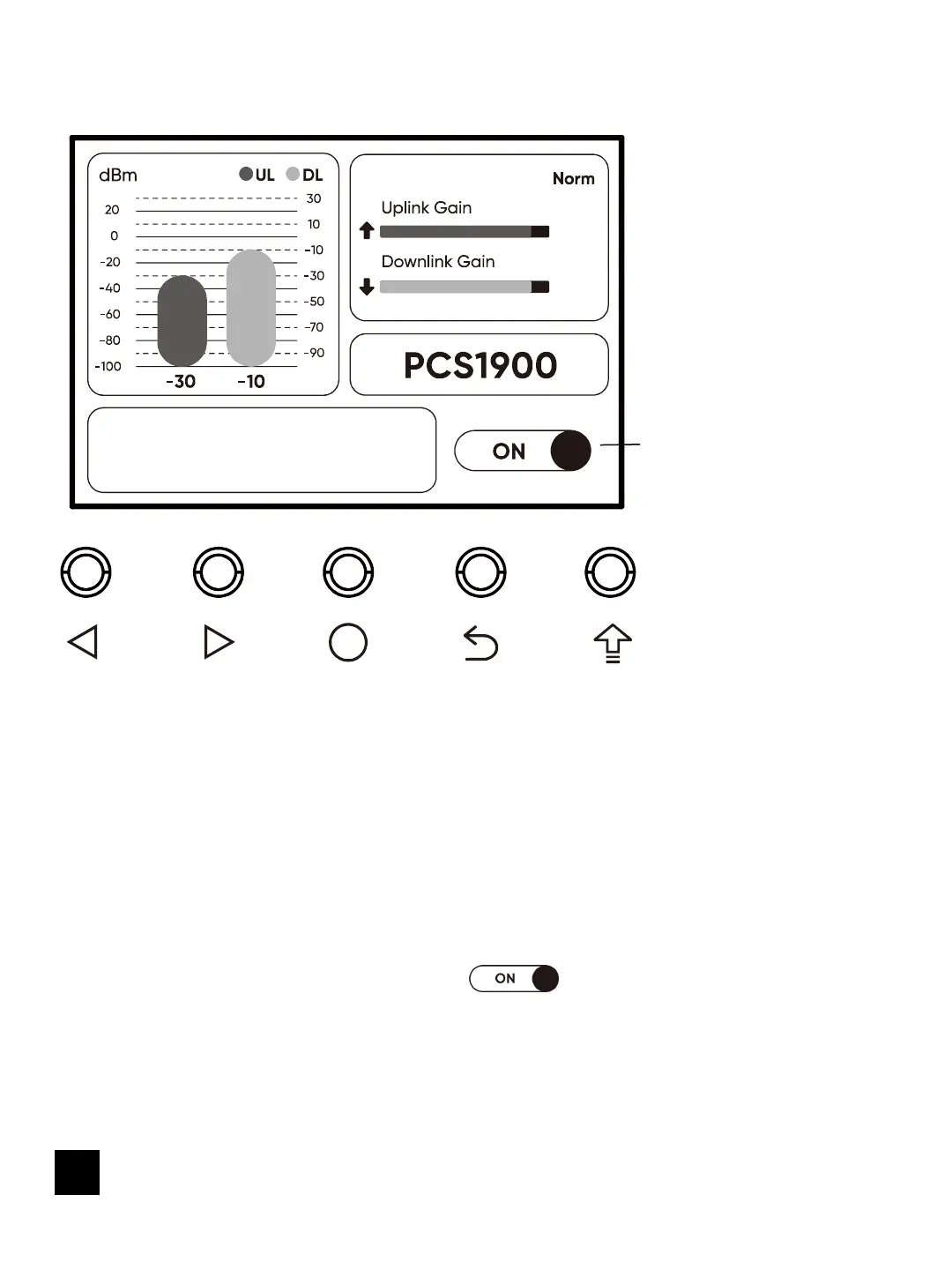
Detail Interface
Frequency Band
Switch status
prompt Message
1.Page switching
a) Main Interface -> Detail Interface
Select with the left and right keys and press the middle confirm button to enter
the detail page about the corresponding frequency band.
b) Detail Interface -> Main Interface
Press the back to the previous interface key to return to the main interface.
2.Frequency Band on and off
After entering the detail interface, select with the left and right keys and
press the middle confirm button to switch the corresponding frequency band on
and off.
12


 To Next Page