11
Installation – LCD Display
Method
These are instructions that will allow users to install a Plus cell phone booster
using the LCD Display.
Before using this method, please take a moment to become familiar with the
LCD display, LED status indicators and control buttons on the booster.
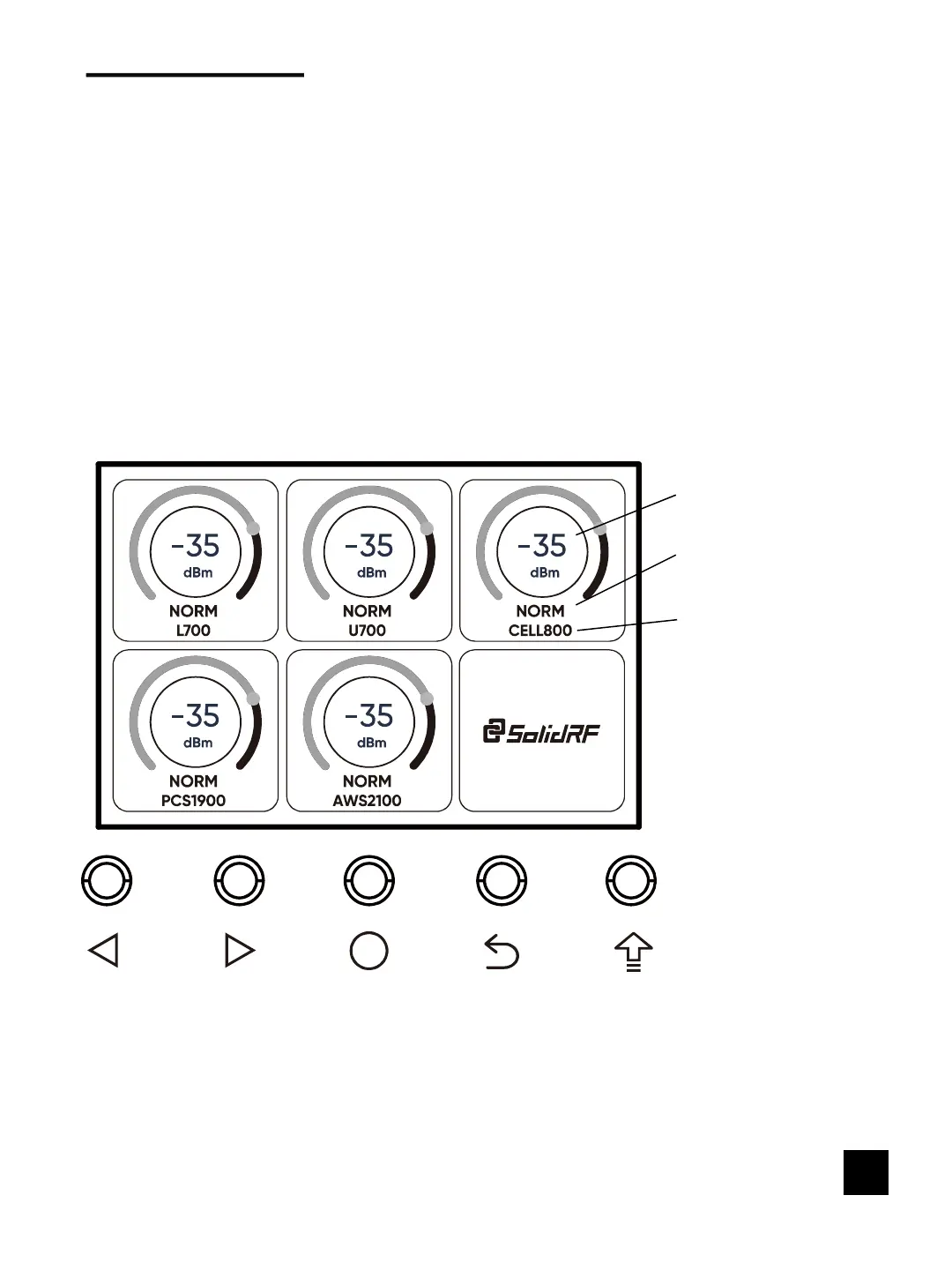
Main Interface
Downlink signal strength
Frequency Band
info
Operating Status of the
corresponding Frequency
Band
There are five buttons located in the lower position of the booster, the
functions of the keys from left to right are: the left selection key, the right
selection key, confirm / setting / switch key, back to the previous interface key,
system upgrade key.


 To Next Page