What causes Int Amp1 Error on Ateis Security System?
- AAdam DanielsSep 14, 2025
If your Ateis Security System shows an Int Amp1 Error, it indicates that IC communication is not functioning or the amp board is damaged. Shutdown the device.
What causes Int Amp1 Error on Ateis Security System?
If your Ateis Security System shows an Int Amp1 Error, it indicates that IC communication is not functioning or the amp board is damaged. Shutdown the device.
Why does my Ateis BOUTIQUE BTQ-VM425W1 Security System show a Net Port Occurrence error?
An Ateis Net Port Occurrence error can happen for a couple of reasons: * The global-net wiring connection between the connected BTQ-VM/SG devices is incorrect. * Check if the wiring connection is correct (Port B to Port A) and secure. * The communication is not functioning. * Check if the cables are connected tightly and correctly. * If the wiring is correct, reboot the devices, and check if the communication of Port B to Port A is normal. * Check all the hardware connection again. Unplug and re-connect the Ethernet cables. Reboot the devices. Use CAT5/6 cables and link PORT-A to PORT-B on controller (bypass). * Check if this fault is not listed on Web Browser > Machine > Info > Fault List.
How to resolve AteisNet ID Duplex error on my Security System?
If you're getting an AteisNet ID Duplex error, it means a duplicated device ID has been detected on the global-net. To fix this: * Check for duplicated net IDs among the BTQ-VM/SG devices. * The ID setting of BTQ-VM can be set from front panel. * The ID setting of BTQ-SG can be set from the device ID of rear panel.
What to do if Ethernet is broken on Ateis BOUTIQUE BTQ-VM425W1 Security System?
If you're experiencing a broken Ethernet connection on your Ateis Security System, here are some steps to take: 1. Check that the Ethernet cable connected to the switch and BTQ-VM is correctly plugged in and secure. 2. Ping the BTQ-VM to see if it responds. If it doesn't, check the Ethernet switch/router. 3. Make sure that the [Ethernet Monitoring] setting on the BTQ web browser is not set to [Disable] on any BTQ-VM units that aren't connected to the network.
What causes Int Amp2 Error on Ateis BOUTIQUE BTQ-VM425W1 (for wall-mount W2 type)?
If your Ateis Security System displays an Int Amp2 Error (for wall-mount W2 type), it means that IC communication is not functioning or the amp board is damaged. To address this, shutdown the device.
How to resolve CODEC Error on Ateis BOUTIQUE BTQ-VM425W1?
If your Ateis Security System shows a CODEC Error, it means that IC communication is not functioning. To resolve this, shutdown the device first, and check if the FPGA cables are connected correctly and tightly.
What causes FPGA SSI FP Error on Ateis BOUTIQUE BTQ-VM425W1 Security System?
An FPGA SSI FP Error on your Ateis Security System is caused by internal parts of the IC not functioning or by static electricity. To fix it, reboot the device.
How to resolve NT Communication Error on Ateis BOUTIQUE BTQ-VM425W1?
If you're experiencing an NT Communication Error on your Ateis Security System, it indicates that IC communication is not functioning. To resolve this, shutdown the device first, and check if the FPGA cable is connected tightly and correctly.
What to do if Ateis BOUTIQUE BTQ-VM425W1 indicates NT Code does not exist?
If your Ateis Security System indicates that the NT Code does not exist, it could be due to IC codes not functioning or static electricity. To resolve this, update the firmware again and reboot the device.
What causes a Fireman Error on Ateis Security System?
A Fireman Error on your Ateis Security System, which means the fireman mic does not function, can be caused by an Audio Line Error or a Button Error. To resolve this: 1. Check if the fireman cable connected to the audio IO board and front panel board is correctly connected and not loose.
Essential safety guidelines for operating and handling the device, covering electrical hazards and environmental conditions.
Details the BTQ-VM4/VM8 controller, its amplifier capabilities, zone expansion, and system features.
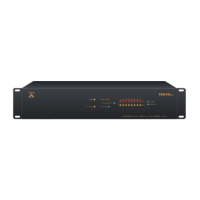
Description of the front panel components and their functions on the BTQ-VM4/VM8 controller.
Overview of the rear panel connectors and ports for the BTQ-VM4/VM8 controller.
Details the features and functionality of the DPM-T5/T5F touchpanel paging microphone console.
Explains the power supply options for BTQ-VM, SG, and SL units, including AC mains and DC backup.
Describes the LCD touch panel interface for system configuration and status display.
Instructions for initiating and managing EVAC message playback for emergency situations.
Guide on using the fireman microphone for emergency paging and calls.
Detailed guide for configuring the BOUTIQUE system using the web browser interface.
Step-by-step wizard for initial system configuration via the web browser.
Process for configuring a new system, including unit and network settings.
System-level management tasks, including device deployment and configuration.
Managing connected devices, their information, status, and system structure.
Overview of system functions, including scheduler, logic I/O, paging, and DSP.
Setting up evacuation inputs for phased evacuation and alarm management.
Configuring messages and actions for Evac and Alarm events.
Configuration options for various paging types, including singular, integration, and DTMF.
Configuring security modes and evacuation options for enhanced system safety.
System monitoring features, including global settings, zone, amplifier, and leakage monitoring.
Detailed settings for zone monitoring based on impedance measurements.
Overview of DSP functions and structure for audio processing.
A comprehensive table listing system faults, their diagnosis, and troubleshooting steps.
| Zones | 4 |
|---|---|
| Amplifier Output Power | 250W |
| Type | Voice evacuation system |
| Humidity | Up to 95% non-condensing |
| Transmission Range | Not applicable |
| Battery Life | Not applicable |