EasyManua.ls Logo

ATEN VE849 - User Manual

ATEN VE849
32 pages
Print Icon
To Next Page IconTo Next Page
Loading...
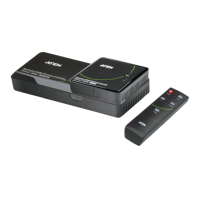
Multicast HDMI Wireless Extender
VE849
User Manual
www.aten.com
Question and Answer IconNeed help?

Do you have a question about the ATEN VE849 and is the answer not in the manual?

Summary

Chapter 1: Introduction

VE849 System Overview

Introduction to the VE849 Multicast HDMI Wireless Extender's purpose and capabilities.

Product Features

Key Product Capabilities

Highlights the wireless extension, multicast, and supported technologies.

IR Remote Control

Remote Control Button Functions

Explains the purpose of each button on the IR remote control.

Chapter 2: Hardware Setup

VE849 T Transmitter Installation

Step-by-step guide for installing the VE849T transmitter unit.

Hardware Setup: Receiver and IR

VE849 R Receiver Installation

Step-by-step guide for installing the VE849R receiver unit.

IR Cable Installation Guide

Instructions for connecting the IR Blaster cable for remote control.

Pairing Procedure: Transmitter

Initiating Transmitter Pairing

Steps to place the VE849T transmitter into pairing mode.

Pairing Procedure: Receiver

Initiating Receiver Pairing

Steps to place the VE849R receiver into pairing mode.

Pairing Process Completion

Chapter 3: Operation

Operation: IR Blaster and Remote

Operation: Advanced Features

EDID Management Explained

How the system manages Extended Display Identification Data for optimal output.

General Safety Instructions

Electrical Safety and Servicing

Technical Support Information

Product Specifications

VE849 T Technical Specifications

Detailed specifications for the VE849T transmitter unit.

VE849 R Technical Specifications

Detailed specifications for the VE849R receiver unit.

Troubleshooting Common Issues

Power Saving and Connection Issues

Resolving power-off states and connection establishment problems.

No Input Signal Resolution

Steps to take when no input signal is detected from the source.

Troubleshooting Advanced Issues

Video Format and IR Frequency

Addressing video format recognition and IR frequency adjustment.

Summary

Chapter 1: Introduction

VE849 System Overview

Introduction to the VE849 Multicast HDMI Wireless Extender's purpose and capabilities.

Product Features

Key Product Capabilities

Highlights the wireless extension, multicast, and supported technologies.

IR Remote Control

Remote Control Button Functions

Explains the purpose of each button on the IR remote control.

Chapter 2: Hardware Setup

VE849 T Transmitter Installation

Step-by-step guide for installing the VE849T transmitter unit.

Hardware Setup: Receiver and IR

VE849 R Receiver Installation

Step-by-step guide for installing the VE849R receiver unit.

IR Cable Installation Guide

Instructions for connecting the IR Blaster cable for remote control.

Pairing Procedure: Transmitter

Initiating Transmitter Pairing

Steps to place the VE849T transmitter into pairing mode.

Pairing Procedure: Receiver

Initiating Receiver Pairing

Steps to place the VE849R receiver into pairing mode.

Pairing Process Completion

Chapter 3: Operation

Operation: IR Blaster and Remote

Operation: Advanced Features

EDID Management Explained

How the system manages Extended Display Identification Data for optimal output.

General Safety Instructions

Electrical Safety and Servicing

Technical Support Information

Product Specifications

VE849 T Technical Specifications

Detailed specifications for the VE849T transmitter unit.

VE849 R Technical Specifications

Detailed specifications for the VE849R receiver unit.

Troubleshooting Common Issues

Power Saving and Connection Issues

Resolving power-off states and connection establishment problems.

No Input Signal Resolution

Steps to take when no input signal is detected from the source.

Troubleshooting Advanced Issues

Video Format and IR Frequency

Addressing video format recognition and IR frequency adjustment.

ATEN VE849 Specifications

General IconGeneral
CategoryExtender
ModelVE849
HDBaseTYes
HDCP2.2
Transmission DistanceUp to 100m
Connector TypeRJ-45
Power Consumption5W
Operating Temperature0 to 40°C
Storage Temperature-20 to 60°C
Humidity0 to 80% RH
TypeHDBaseT Extender (4K@100 m)
Max. Resolution3840 x 2160 @ 60Hz (4:2:0)

Related product manuals