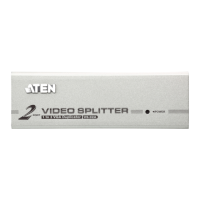
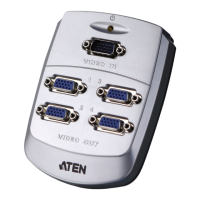
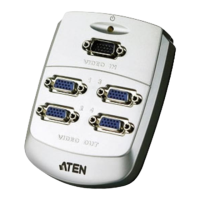
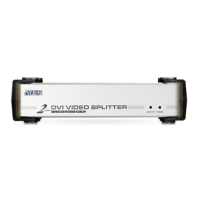
The ATEN Video Splitter, available in models VS92A, VS94A, and VS98A, is a versatile boosting device designed to duplicate and enhance analog video signals for various display applications. These splitters take a single video input from a monitor source and distribute it to multiple outputs: two for the VS92A, four for the VS94A, and eight for the VS98A. This capability makes them ideal for scenarios requiring fast and flexible video distribution.
Function Description:
The primary function of the Video Splitter is to duplicate a single analog video signal to multiple displays. It acts as a signal booster, ensuring that the video quality is maintained even over long distances. Unlike simple duplicators, these units actively enhance the video signal, allowing for broadcasting over distances of up to 65 meters (213 feet). This enhancement is crucial for maintaining crisp and clear images across multiple monitors, especially in large-scale installations.
The VS92A, VS94A, and VS98A models support a wide range of video signal types, including VGA, SVGA, XGA, and Multisync. This broad compatibility ensures that the splitters can be integrated into most existing analog video setups. However, it's important to note that they are not suitable for CGA, EGA, or MONO type monitors that utilize digital video signals.
A key feature of these video splitters is their daisy-chaining capability. This allows multiple units to be connected in series, expanding the number of monitors that can be driven from a single video source. This flexibility makes them an excellent solution for public broadcast systems or any installation requiring a large number of displays. All three models (VS92A, VS94A, and VS98A) can be mixed within the same daisy chain, offering further adaptability to specific installation needs. While theoretically there's no limit to the number of splitters that can be chained, the video quality may gradually deteriorate as the signal travels further down the chain.
The splitters are equipped with a Power LED indicator on the front panel, which illuminates to confirm that the unit is receiving power. On the rear panel, there is a DC 9V power jack for connecting the power adapter, a Video In port for the source signal, and multiple Video Out ports for connecting to monitors. For daisy-chained setups, the Video In port of a lower-level unit connects to a Video Out port of a higher-level unit, effectively extending the display network.
Usage Features:
The Video Splitter is designed for ease of installation and operation, catering to a variety of professional and educational environments.
- Public Broadcasting: These splitters are highly effective for broadcasting video information to the public. Examples include displaying news headlines, stock prices, or airline and train schedules in public spaces like airports, train stations, and financial institutions. The ability to distribute a single video source to multiple screens simultaneously ensures consistent information delivery.
- Remote Monitoring: For environments where monitoring harsh conditions from a safe distance is necessary, these splitters provide a reliable solution. They allow a single video feed from a camera or sensor to be displayed on multiple monitors in a control room, enabling comprehensive oversight without direct exposure to hazardous areas.
- Classroom and Company Training Facilities: In educational and corporate training settings, the Video Splitter facilitates effective instruction by allowing a presenter's screen to be mirrored across several student or trainee monitors. This ensures that everyone in the room can clearly see the presented material, enhancing the learning experience.
- Daisy-Chaining for Scalability: The daisy-chaining feature is a significant advantage for scalable installations. By connecting multiple splitters, users can expand their display network to accommodate as many monitors as required. This is particularly useful for large venues or complex monitoring systems where a high number of displays are needed from a single source.
- DDC Support (Port 1 Only): The splitters support DDC, DDC2, and DDC2B standards on Video Out Port 1. This means that if a DDC-type monitor is connected to Port 1, it can communicate its display capabilities to the source device, allowing for optimal resolution settings. However, it is crucial that all other monitors connected to the splitter (or subsequent daisy-chained splitters) are capable of supporting the highest resolution provided by the DDC monitor on Port 1 to ensure consistent display across all screens.
- Simple Installation Process: Setting up the Video Splitter involves a few straightforward steps. First, all devices (PC, monitors, splitter) must be powered off and properly grounded. A high-density HDB-15 male/female video extender cable connects the PC's video port to the splitter's Video In port. Then, similar cables connect the splitter's Video Out ports to the monitors. Finally, the power adapter is plugged into an AC source and the splitter's power jack, followed by powering up the splitter, monitors, and PC in sequence.
Maintenance Features:
The ATEN Video Splitters are designed for robust and reliable operation with minimal maintenance requirements.
- All Metal Housing: The units feature an all-metal housing, which provides durability and protection against physical damage. This robust construction ensures a longer lifespan, especially in demanding environments. The metal casing also contributes to better electromagnetic compatibility (EMC) performance, reducing interference with other electronic devices.
- Small Form Factor: The compact design of the splitters allows for easy integration into various setups without occupying excessive space. This is beneficial for installations where space is at a premium, such as server racks, control rooms, or crowded desks.
- High Bandwidth: The VS92A and VS94A models boast an ultra-high 250 MHz bandwidth, while the VS98A offers 200 MHz. This high bandwidth ensures that video signals are transmitted with minimal degradation, preserving image quality even at high resolutions and over long cable runs.
- Recommended Cable Usage: For optimal video quality, the manual recommends using UL2919 rated extender cables. Adhering to this recommendation helps maintain signal integrity and ensures the best possible display performance, especially when extending video signals over longer distances or through daisy-chained setups.
- Firmware and Software Updates: ATEN provides ongoing technical support, including troubleshooting, documentation (online manuals), and software updates (firmware and drivers) through their website. This ensures that users can always access the latest features, bug fixes, and performance improvements, extending the useful life of the device and maintaining optimal functionality. Users are encouraged to visit the ATEN website to download the most up-to-date version of the manual and any available software updates.
- Environmental Compliance: The product is RoHS compliant, indicating that it adheres to restrictions on the use of certain hazardous substances in electrical and electronic equipment. This commitment to environmental standards reflects a focus on sustainable product design and manufacturing.

 Need help?
 General
 Weight and Dimensions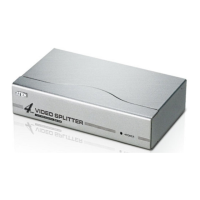

 To Next Page