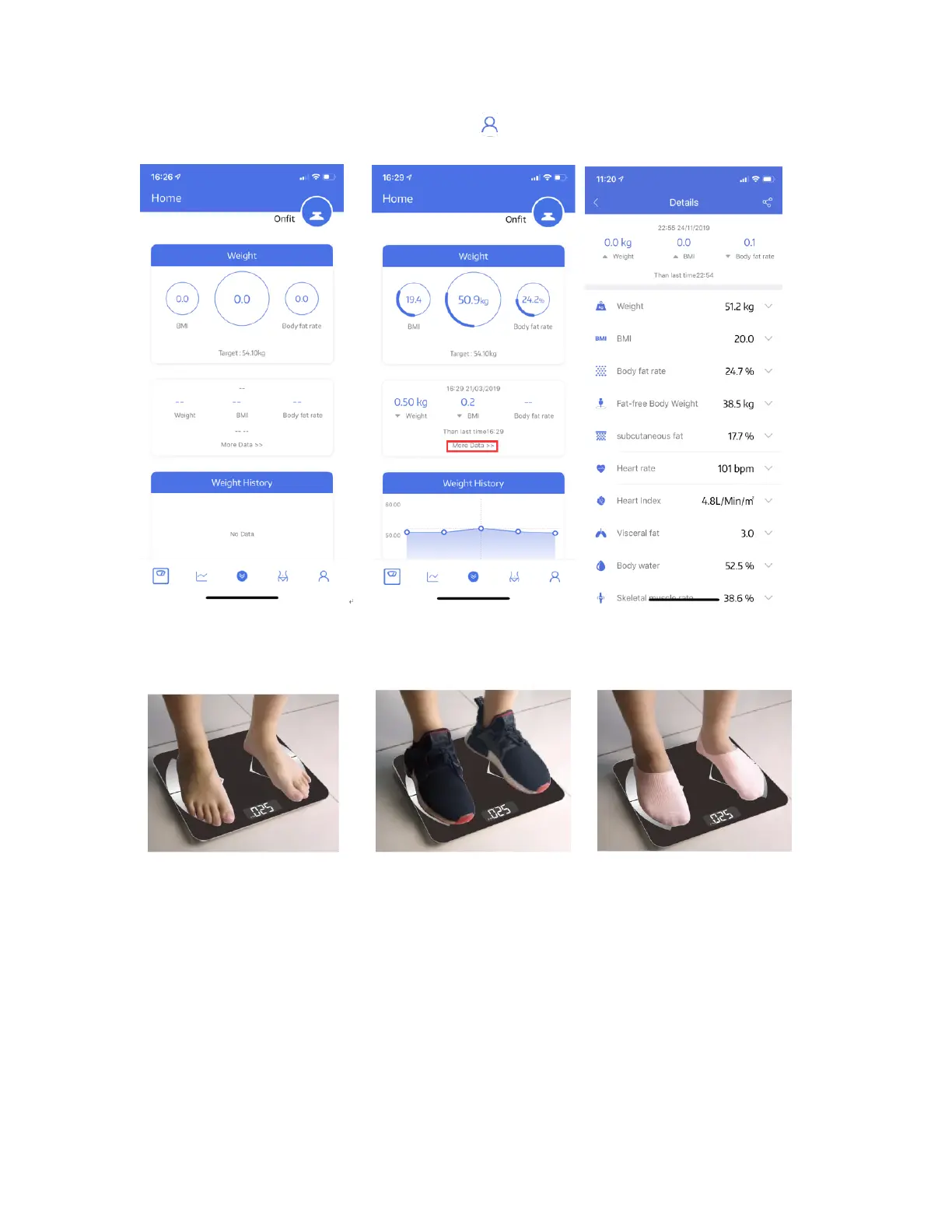
5. Pair the scale through Bluetooth. Click ----> Device find the scale “Yologram”
now your phone is connected with the scale;
6. Tap your foot on the scales to activate the display. Wait until the display shows
“0.0”kg.
7. Step on the scale with BARE feet to turn the scale on.
Note:
If stepping on the scale with socks, only weight and BMI will be measured and displayed
on the main page. To get complete data, please step on the scale with bare feet.
8. The number on the display is flashing when the scale is weighing and analyzing, keep
stand still on the scale, till it finish showing “0000”, your phone has received all the
data from the scale.


 To Next Page