2. No body fat data measured when weighing
User must be bare foot to measure the body fat.
Make sure your feet and the scale are both dry.
Scale not finishing weighing when the number display is flashing (Keep standing on
the scale around 10 second until the number on the display stops flashing).
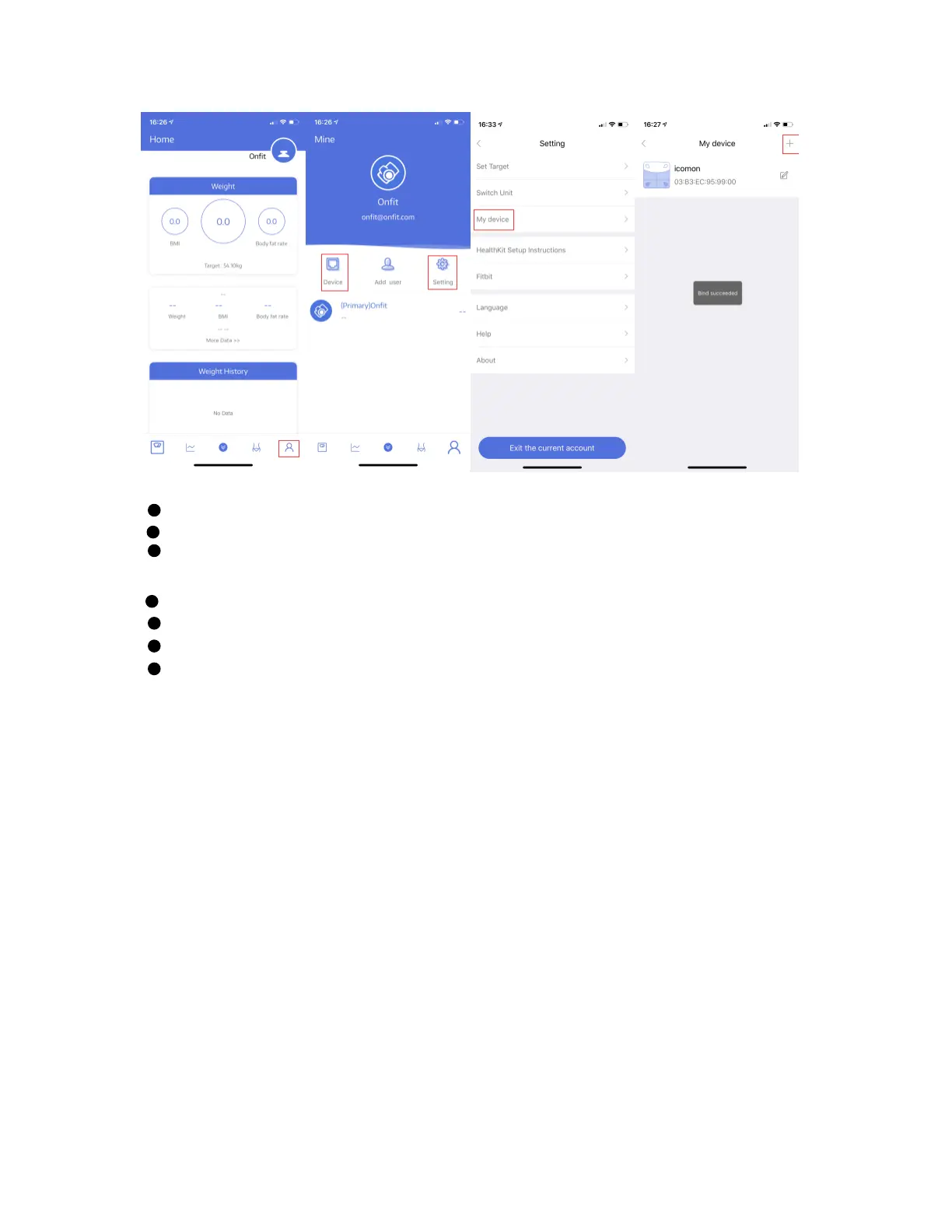
Bluetooth is not turned on.
Bluetooth is paired with a difference scale.
Try to add some water onto the feet bottom once the feet is too dry;
When one scale be connected to more than 2 phone device, need to make sure the
devices which are not for using be turn off first;
3. The scale is producing inconsistent weight.
Check whether the scale is on a hard, flat surface.
Check each sensor foot on the back to make sure nothing is stuck to the bottom of it.
Remove the batteries to restart the scale;
4. The App is display the incorrect fat-muscle ratio
The body parameter setting is incorrect, check to make sure you entered the correct
gender, height, and age.
5. How do I re-calibrate the scale after moving it or change the batteries?
Step on the scale to turn it on. Let it automatically drop to 0.0kg to calibrate.
6. The scale does not turn on
Remove the batteries and put it back. Make sure to insert the batteries in the correct
direction;


 To Next Page