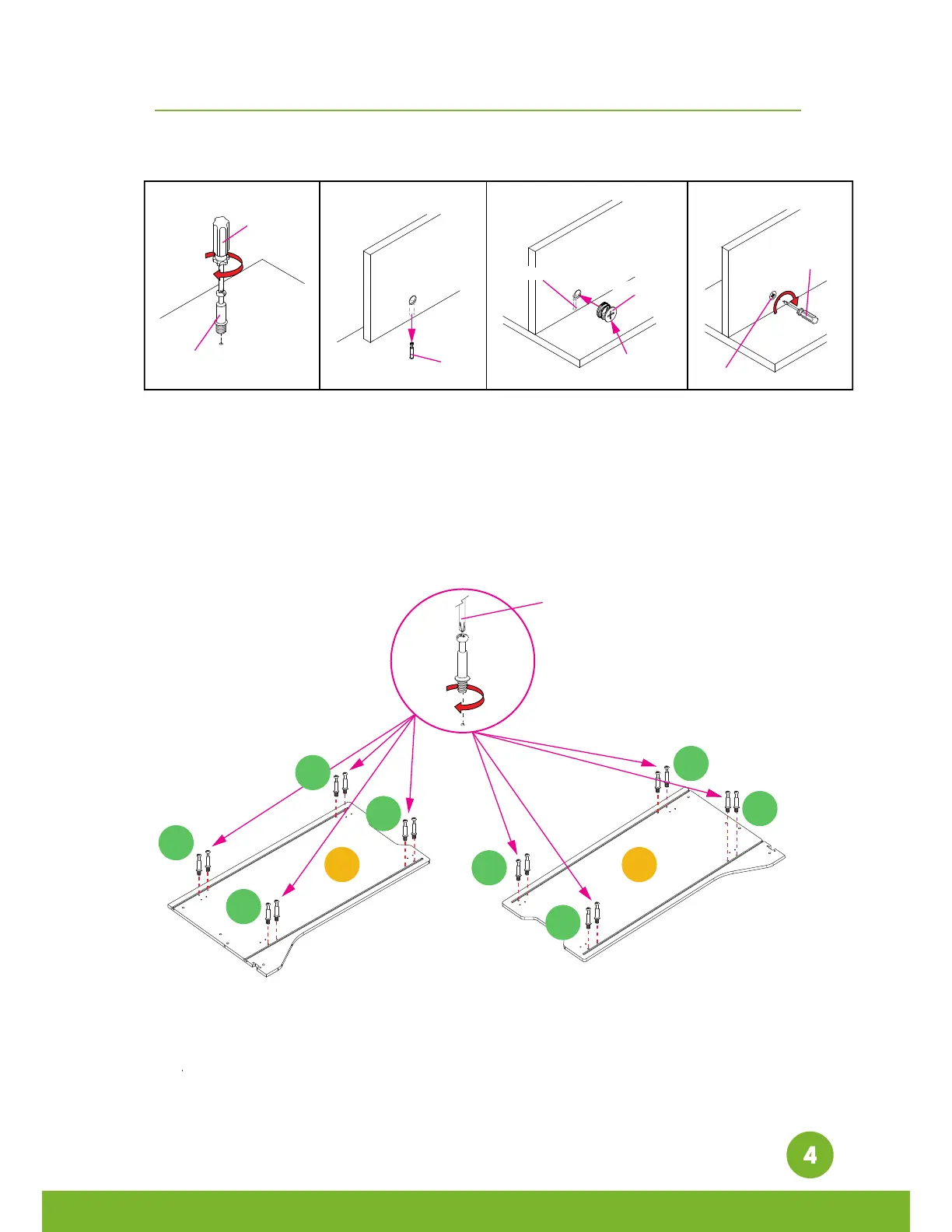
Step A. Use Phillips head screwdriver to fasten the cam bolt onto the panel. To avoid
insufficient length to connect the cam lock, please do not overtighten it.
Step B. Attach both panels. Please make sure the cam bolts align with the holes.
Step C. Insert the cam locks to the matching holes.
Step D. Tighten clockwise with straight head screwdriver.
Step 1. Insert the 16 [S1] to the matching holes on [A] and [B] on both panels with
Phillips head screwdriver. Please insert and make sure to tighten perpendicular to the
board, redo the step as needed. Do not use excessive force or risk breaking the panels.









 To Next Page