Installation
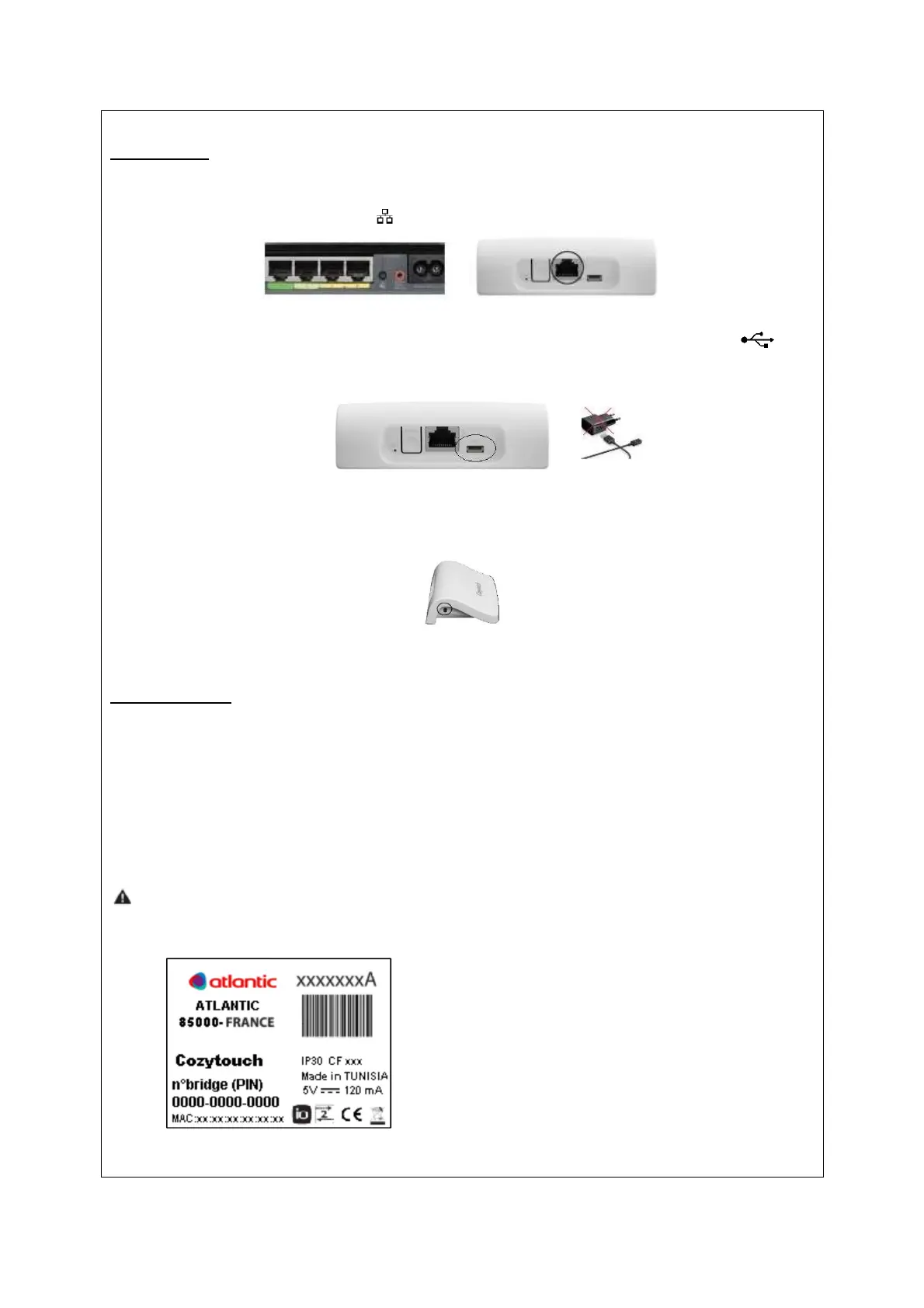
Connect the bridge to your DSL box, by plugging the Ethernet cable on the Ethernet
connector represented by the logo .
Connect the included power supply to the connector represented by the logo . The
converter is useless for some countries; USB can be directly connected to an internet box for
the electric supply.
Then the LED will light up by changing colour for a few tens of seconds and finally will stay
green.
Configuration
The creation of the account and bridge connection with your connected products is to be
made by the way of the Cozytouch application.
For the configuration and the use of Cozytouch, refer to the manuals of your devices and
instructions of the COZYTOUCH application.
It will be necessary to enter the PIN number of the bridge (this number is on the sticker
under the bridge and will be required when creating the account).


 To Next Page