10
USING THE DEVICE
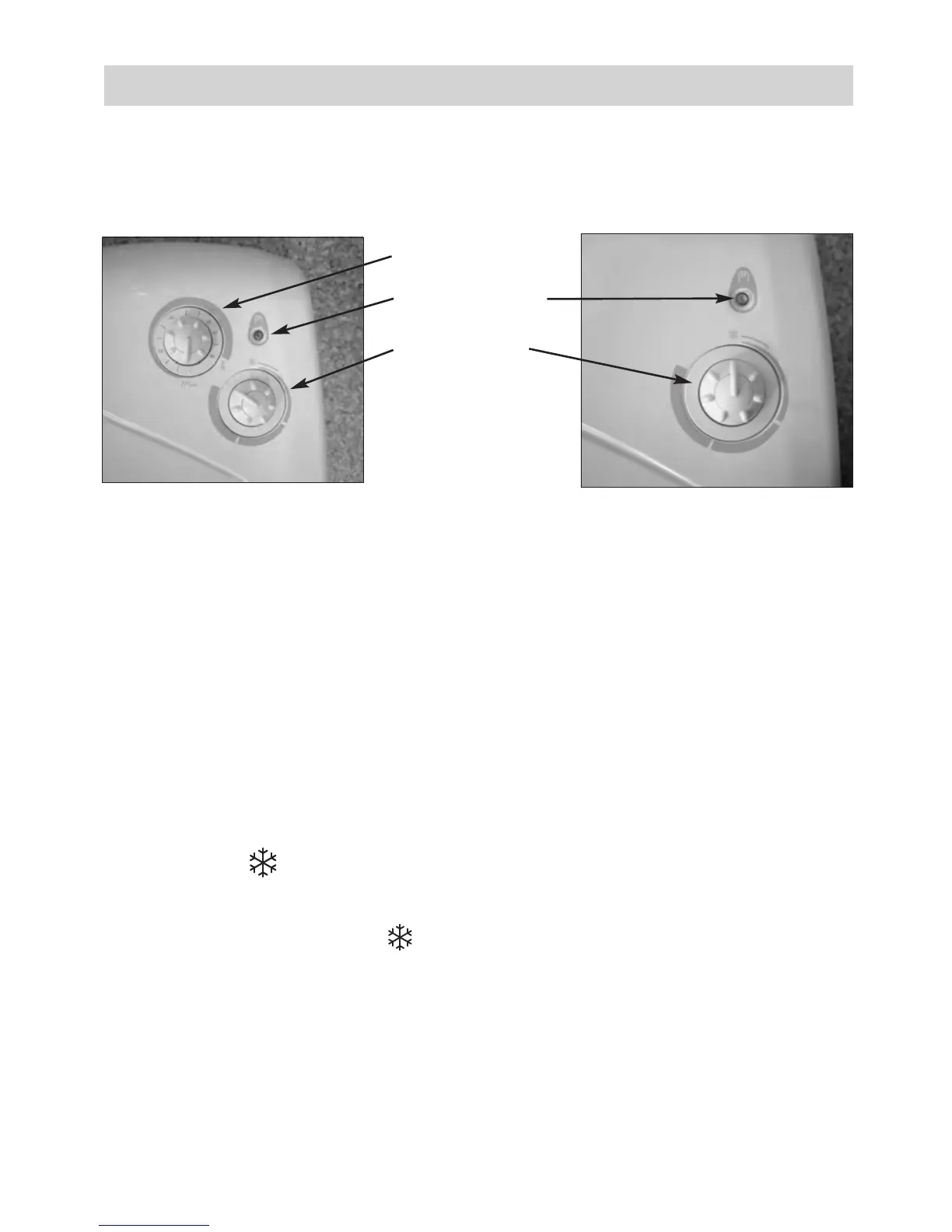
1) Description of the control box
2) Ambient heating
To determine the position of the Heating knob for the desired temperature, proceed as follows:
- Turn the knob
fully to the right and wait for the room to reach the desired temperature.
- Then turn the knob
to the left until you hear the thermostat contact click.
- Turn the knob back slightly and leave the device to run by itself.
- It may be necessary to correct the setting subsequently.To increase the temperature, turn the knob
slightly clockwise.To reduce the temperature, turn the knob anticlockwise. Continue in this way
until you are satisfied with the temperature setting.
- To stop the device, set the knob
to the minimum position.
3)Rapid room heating (version with timer)
- Set the heating knob to the ambient temperature desired.
- Set the timer’s knob to the period of rapid heating desired (operation at 1800W).The device will
then run at 1800W in accelerated pre-heating mode for the selected period of time and will then
operate at 1000W to maintain the ambient temperature according to the thermostat setting.
4) Frost mode
This is the mode that enables you to maintain the temperature in the room at approximately 7°C
during a prolonged absence (
generally for more than 24 hours).
Set the heating knob to position .
5) Installing the filter.
The filter can be installed from the left or the right side depending on your installation.
Timer knob
Heating indicator
Heating knob
Timer version
Basic version



 To Next Page