A B C
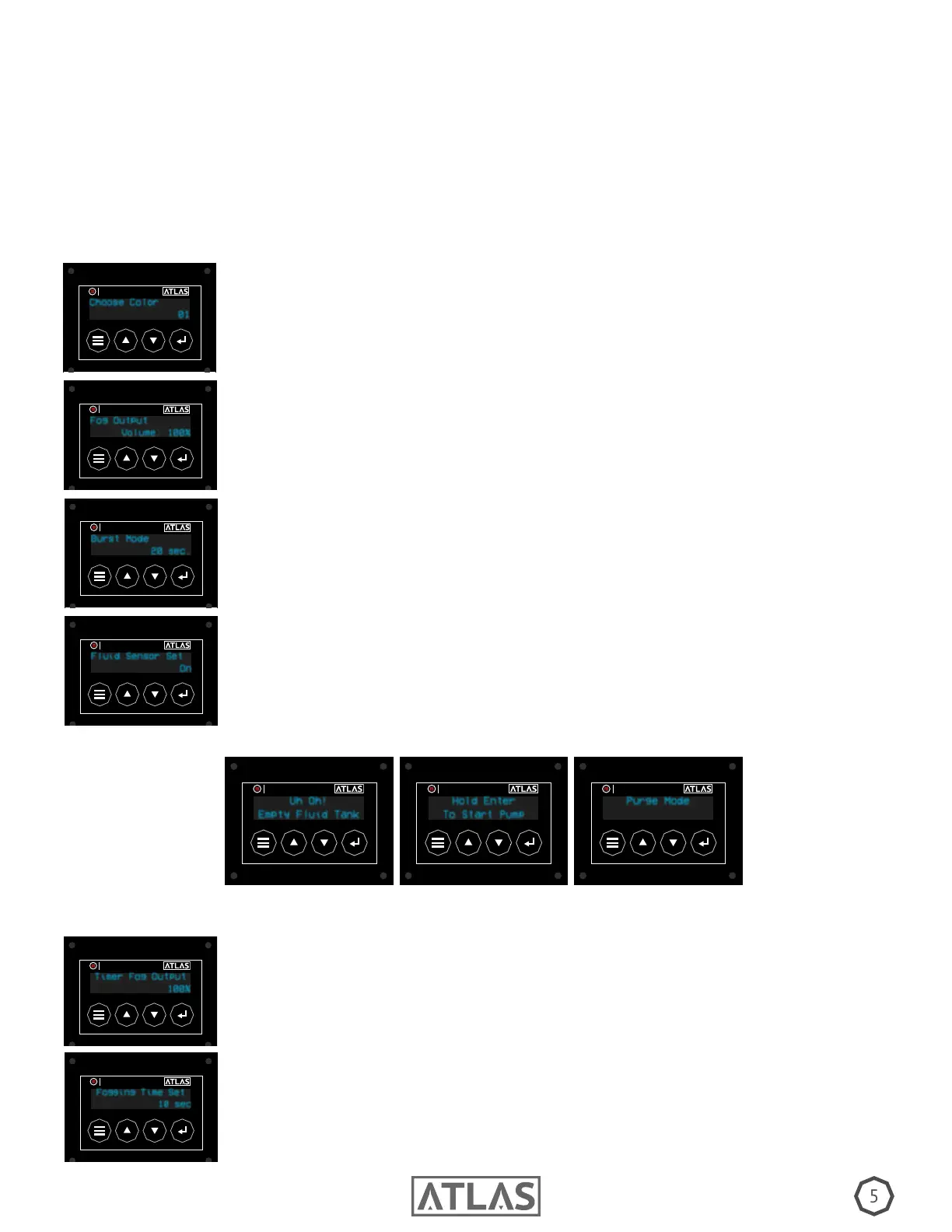
Fluid Sensor Set: When active, the uid sensor stops operation and prompts a
message if your uid tank runs empty (A). To rid this message you must rell the
uid, then press and hold the enter button for 3 seconds (B) to enter purge mode
(C). When nished, you are ready for operation.
Fluid Sensor Set
On
TIMER
MASTER FX
Purge Mode
TIMER
MASTER FX
Uh Oh!
Empty Fluid Tank
TIMER
MASTER FX
Hold Enter
To Start Pump
TIMER
MASTER FX
RUNNING YOUR ATLAS MANUALLY
Choose Color: The LED color when fogging. You may choose from 9 colors, or no
color. Hit enter button to select.
Choose Color
01
TIMER
MASTER FX
Fog Output: The intensity of the fog output.
Fog Output
Volume: 100%
TIMER
MASTER FX
Burst Mode: The duration of the output, choose from 5 seconds to 20 seconds. If
Burst Mode is “Off”, press enter button to start and stop.
Burst Mode
20 sec.
TIMER
MASTER FX
Timer Fog Output: The intensity of fog when under timer operation. Ranges from 1% - 100%
Timer Fog Output
100%
TIMER
MASTER FX
Fogging Time Set: The duration of fog output while using timer operation.
Duration allowed ranges between 1-20 seconds.
Fogging Time Set
10 sec
TIMER
MASTER FX
RUNNING YOUR ATLAS VIA TIMER
INITIAL PURGE: If you Atlas has operated without uid, it is important to purge the lines of air. Once a full
uid tank is connected, use the enter button, wireless remote, or dmx controller to initiate 3 intervals of
5-8 second blasts of fog. NOTE: This sequence may cause some moisture to expel from the output. Repeat
the above process until there is no more moisture.


 To Next Page
 Loading...