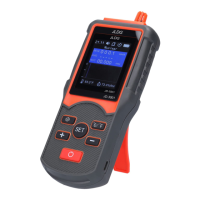
1 Digital temperature and humidity sensor.
2 LCD Monitor.
3 Mute button: turn on or off the alarm sound. The default is
to
turn on the sound.
4 "+" button: Quickly switch between nuclear radiation detection
and electromagnetic radiation detection. When setting the menu,
the cursor moves up and increases the value.
5 Power button: Long press for 2 seconds to turn on or off the
power.
6 Temperature unit selection button: Celsius and Fahrenheit
conversion.
7
"―" button: Short press to start recording data, and the " "
icon appears on the screen. When setting the menu, the cursor
moves down and decreases the value.
8 Setting button: short press to enter the menu, long press for 2
seconds to exit the menu.
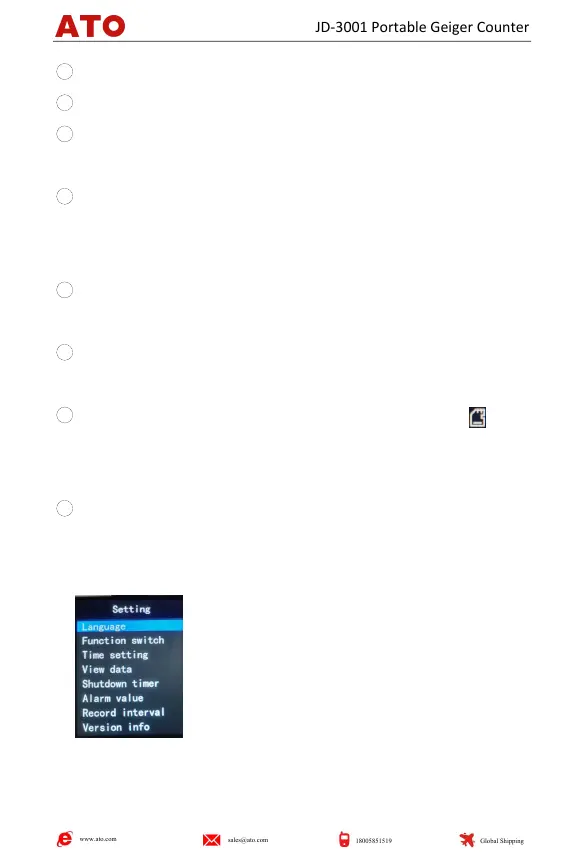
Ⅳ.Menu Function Introduction
1.Short press the "SET" button to enter the
menu page, and long press the "SET" button to
exit the menu page.
www.ato.com
sales@ato.com
18005851519
Global Shipping
JD-3001 Portable Geiger Counter


 To Next Page