“HF” alarm = power failure lasting over a minute and exceeded AH maximum threshold: up to three HF
events are saved (HF, HF1, HF2) respectively from the more recent (HF) to the oldest (HF2) and a HFn
signal that displays the number of occurred HF events. HA/HF alarm setting: AH parameter (high temp.
threshold); Ad and Htd (Ad+Htd = HACCP alarm activation delay).
Display of the details: access to HA or HF parameters pressing the START button and use UPor DOWN
buttons to glance over. HACCP alarm erasing: press the DOWN and SET buttons for more than 5
seconds, the message ‘res’ indicates that the alarm have been deleted. To cancel the saved alarms
press the DOWN+ START + UP buttons for more than 5 seconds.
6.9 Procedure for setting the default parameter values
To set the default parameter values on the controller, proceed as follows:
• If “Hdn” = 0:
1: switch the instrument off;
2: switch the instrument back on, holding the PRG button until the message “Std” is shown on the
display.
Note: the default values are only set for the visible parameters (C and F). For further details see table
“Summary of operating parameters”.
• If “Hdn” < > 0:
1: switch the instrument off;
2: switch the instrument back on, holding the PRG button until the value bn0 is shown on the display;
3: select the set of default parameters, between 0 and “Hdn”, using the DOWN and UP buttons;
4: press the START button until the message “Std” is shown on the display.
7. MANITENANCE
7.1 PERIODIC CLEANING
For hygienic reasons and improved performance clean at least once a month the internal basin.
Especially the hole for water out going, need keep clean always, First perform a manual defrosting cycle
( par. 6.3 ),
When complete, switch off the power supply and clean the inside following the instructions given in par.
4.2 ( initial cleaning ).
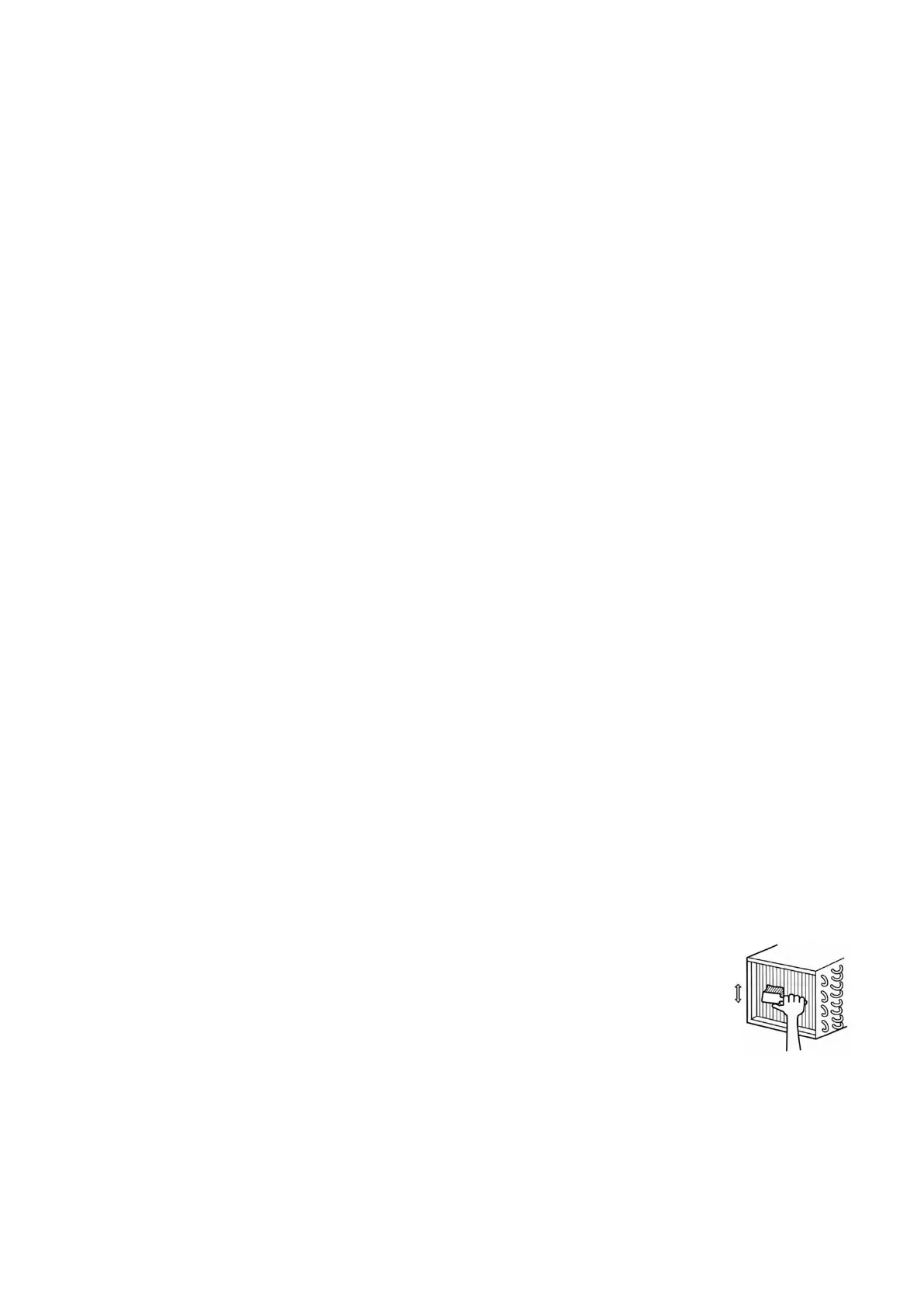
7.2 CLEANING OF CONDENSER
For improved performance clean the condenser at least once a week.
Before beginning turn off the equipment, and disconnect the plug.
Close and protect the unit.
- Unscrew, rotate and remove protective grill
- Remove the dust deposited on the front surface of the condenser
using a brush and a vacuum cleaner and restore previous conditions.
7.3 PERIOD OF INACTIVITY OF CABINET
During periods of inactivity, remove the products from thecabinet and then follow these directions:
- Remove the plug out from the outlet and carefully clean the unit
as per periodic cleaning
- Cover the cabinet whit a cloth that allows air circulation in the interior.


 To Next Page