Need help?
Do you have a question about the Aube Technologies TH146-N-U and is the answer not in the manual?
Details the types of heating/cooling systems and connected devices compatible with the TH146-N-U controller.
Lists the items included in the TH146-N-U controller package, such as the control module and sensor.
Lists optional accessories available for the TH146-N-U controller, like sensors and telephone controllers.
Provides instructions for configuring the CT280-3H3C control module using DIP switches based on system type.
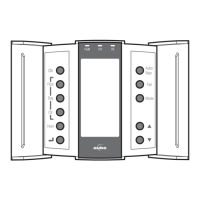
Offers guidelines for installing the TH146 user console in a suitable location, avoiding drafts and direct sunlight.
Explains that terminal usage for the heating/cooling system depends on the system type, referring to wiring tables.
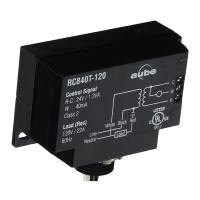
Details the use of the RC845 relay for connecting furnace auxiliary heat and fan, and its wiring.
Explains how to connect a humidifier in series with the power supply between the controller's H terminals.
Details connecting a dehumidifier or air exchanger in series with the power supply between the controller's D terminals.
Provides installation guidelines and connection details for the AC144-03 outdoor temperature sensor.
Lists requirements and installation instructions for the AC146-410 plenum temperature sensor.
Explains how to connect the dual-energy input to a dual-register meter for heat pumps with auxiliary heat.
Describes connecting a remote control device to activate the unoccupied mode via a dry contact.
Explains how to access the configuration switches by separating the console from its base.
Provides a step-by-step guide to configure the controller's software settings, including entering installer mode.
Explains how the controller automatically switches between heating and cooling modes based on temperature differentials.
Describes the function of balance points in disabling the heat pump or auxiliary heating based on outdoor temperature.
Details when auxiliary heat is activated during defrost cycles, including conditions that may prevent it.
Explains the differences between Add-on and New installations for heat pumps and their impact on operation.
Defines Interstage Delay and how it affects stage activation for heating or cooling systems.
Explains the function of LLMT/HLMT to control plenum temperature and prevent extremes.
Describes the operation of the fan when the Smart Fan feature is enabled, particularly in unoccupied mode.
Explains how the controller automatically switches between humidifier and dehumidifier to maintain desired humidity levels.
Details the different system operating modes: HEAT, COOL, AUTO, OFF, and EHEAT.
Explains the fan operating modes: automatic mode and continuous mode, and their behavior.
Describes how the controller can display either the indoor humidity level or the outdoor temperature.
Explains how to view and modify the temperature setpoint, including automatic adjustments.
Details how to set the humidity level manually or automatically, referencing configuration parameters.
Explains how to place the controller in unoccupied mode using a remote control and its effect on temperature.
Describes how changing the temperature setpoint in unoccupied mode temporarily bypasses the current setpoint.
Provides technical specifications for both the CT280-3H3C Control Module and the TH146 User Console.
Details the product warranty, including its duration, terms, and conditions for repair or replacement.
Provides contact information for Honeywell Limited for technical assistance, including address and phone.
 General
| Type | Programmable thermostat |
|---|---|
| Voltage | 24 VAC |
| Display | LCD |
| Programmable | Yes |
| Backlight | Yes |
| Compatibility | Compatible with most HVAC systems |
| Load | 0.5 A inductive |
| Temperature Range | 5°C to 30°C (41°F to 86°F) |
| Accuracy | ±0.5°C (±1°F) |
| Control Type | Digital |
| Stages | 1 |

 To Next Page