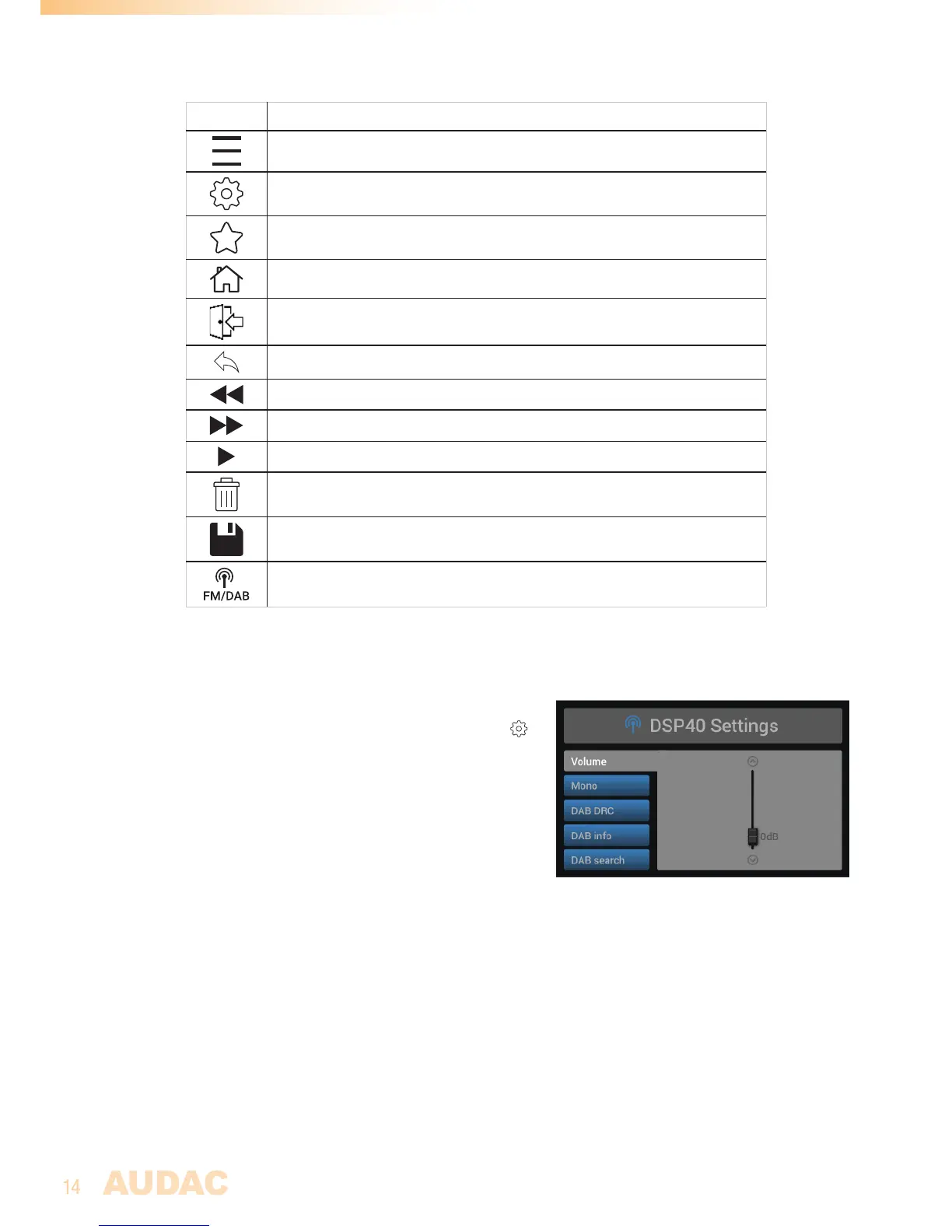
ICON DESCRIPTION
Show track list / station list
Go to module settings
Mark / save current selection as favourite
Go back to system main screen
Go back to module screen
Go one step back
Previous track / station
Next track / station
Play / Pause
Erase current selection
Save current settings
Switch between FM / DAB functionality
Front control >> Module settings
Each on the modules has a module settings screen. This
settings screen can be accessed by clicking the in
the control screen.
Depening on the installed module, the available module
settings will be different. For a full overview of the
available settings for the corresponding module, refer to
the instruction manual of the installed module.


 To Next Page