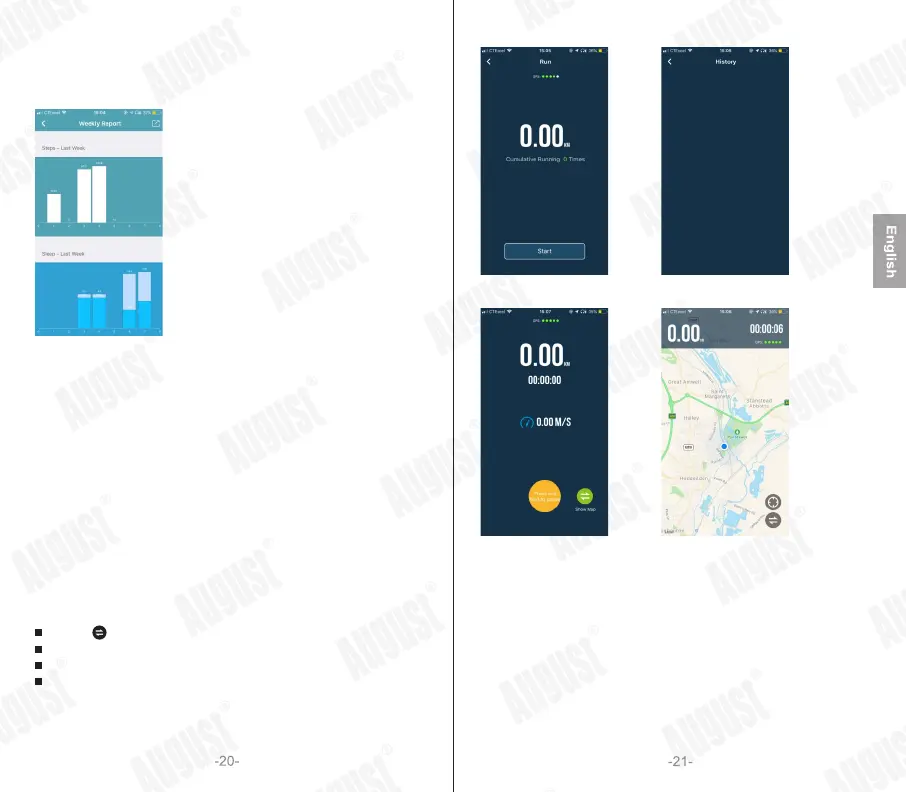
5.2.4.2Weekly Report
The weekly report allows you to view all of the previous week’s data
on one screen.
5.2.4.3Activate Camera
This function allows you to activate the camera on your phone remotely
by shaking the KERi.
1. Tap on ‘Activate camera’ to begin.
2. Once the camera is activated, shake the wrist wearing the KERi to
take a photo.
3. Press “Cancel” to return to the home page.
5.2.4.4Run
This function will help you to monitor your running.
Press on ‘Cumulative Running X Times’ to view your running history.
Press on ‘Start’ to begin running.
Press < > to switch between normal and map display.
Press and hold the yellow button to pause.
While paused, press the green button to resume.
Press the red button to finish running.
5.2.4.5Device Management
The device management screen allows you to check the battery
level of the KERi and use the following functions:



 To Next Page