Digiplexer 246 v2.5.x User Manual – 11/2010
Page 74
Head Office : Parc d’activites Kennedy - 20, avenue Neil Armstrong – F-33700 Bordeaux-Merignac (France)
Tel +33 (0)5 57 928 928 – Fax +33 (0)5 57 928 929 – contact@audemat.com – www.audemat.com
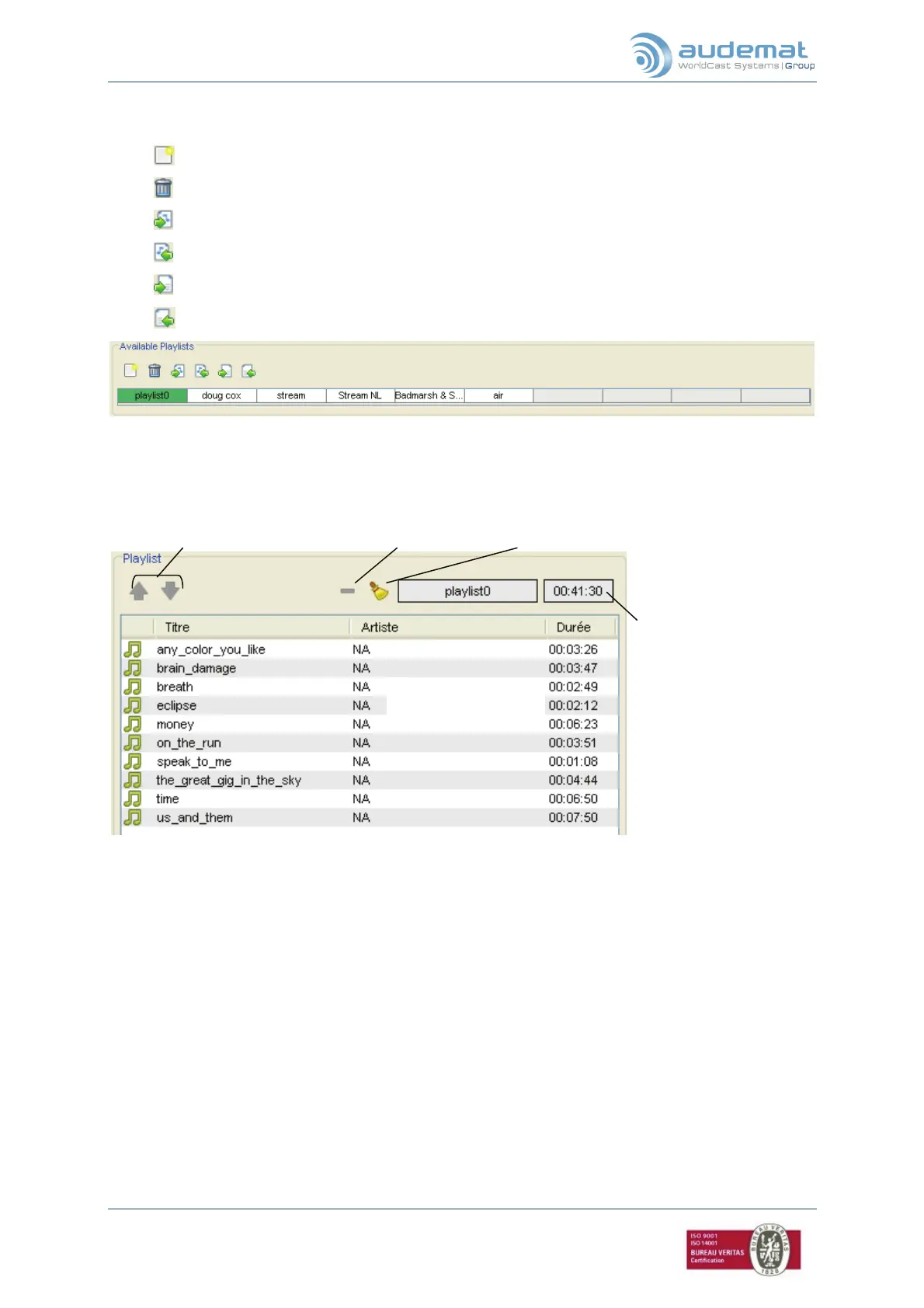
¾ Available playlists (1) ¾ Available playlists (1)
Use the icons to: Use the icons to:
: create a new playlist. Double-click on its name to rename it.
: delete the current playlist.
: export the current playlist and the associated audio files to the unit.
: import the current playlist and the associated audio files from the unit.
: export the current playlist without the associated audio files to the unit.
: import the current playlist without the associated audio files from the unit.
You may create up to 10 playlists. The selected playlist appears on a green background.
¾ Playlists (2)
Titres de la playlist.
Total duration of the
playlist, including
crossfades.
Set the order the files will
be played.
Delete one or more files from the playlist. Audio files remain available.


 To Next Page